Choose CS2 skins with a plan: float, comparisons and a coherent loadout
Choose the role of the item before choosing a route to obtain it. A useful skin plan separates appearance, instance properties, set composition and any later paid decision. You can clarify those questions with guides and free tools without opening a case or staking an item. Begin with one slot you actually use, then keep confirmed information separate from a visual preference or an unanswered availability question.
CASECS2Updated:
Choose your next question
Your problem
First useful action
What remains separate
Two items look similar
Establish identity and compare
Current price and availability
Wear labels are confusing
Check the actual float question
Pattern and lighting
The set feels inconsistent
Plan weapon roles and colours
A paid way of obtaining items
A case or upgrade interests you
Read the current terms and card
Any guarantee of a preferred result
For example, replacing one frequently used rifle is a narrower task than collecting every item in a theme. Write that purpose down. It becomes the criterion for rejecting an attractive option that does not solve your actual problem.
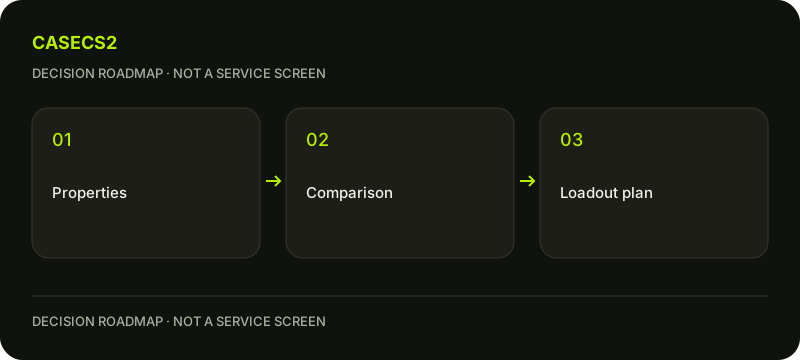
A check diagram, not a game screen.
Separate identity, rarity and collection
Confirm the weapon, finish and relevant variant before comparing pictures. Two records with a similar translated name may still require a closer identity check. Use the weapon model and name check when the item itself is uncertain; a beautiful image is not enough to settle the label.
Next use collection versus rarity to separate the group an item belongs to from its rarity grade. Neither tells you whether you personally like the design, whether a particular instance is available or what it currently costs. Treat those as their own questions instead of using a grade as a shortcut for quality.
If an image is generic, the catalogue image versus item image guide helps explain what it can support. Keep “I like this finish” distinct from “this is the exact instance I have inspected.” That distinction prevents an appealing reference picture from quietly acquiring properties that have never been confirmed.
Use float to answer a precise wear question
Start with the value or range you actually know. The float guide explains the underlying question, while pattern versus float helps avoid treating two different properties as interchangeable. A colour arrangement and a wear value should not be inferred from one another.
Open the free Float tool when you have a specific calculation or position to examine. Enter known values carefully and read what the result actually describes. A result is not proof of ownership, stock or a live offer. Do not fill an unknown instance value by guessing from a product name.
For two candidates with the same broad wear label, same wear, different float gives the next useful comparison question. Then inspect the visible areas that matter to you. A smaller number alone does not decide every aesthetic preference, and an upgrade should never be described as repairing wear on an existing skin.
Compare candidates under conditions you can explain
Choose a small shortlist and write one reason each candidate belongs. Use the free comparison page to organise the available records, keeping missing information visible. A comparison becomes less useful when one candidate is judged from a dramatic image and the other from a quiet catalogue view.
The lighting comparison guide helps separate a genuine preference from a change in observation conditions. Note which side or area you actually inspected, rather than declaring an entire item superior from one favourable crop. If the evidence remains incomplete, a provisional preference is acceptable.
If money enters the comparison, use mixed-variant price comparison before placing unlike records in one price ranking. Keep a price observation tied to the matching variant and its context. Do not invent a live total when reliable prices are absent, or describe a reference number as a guaranteed transaction.
Build the set around use rather than accumulation
Put the preferred candidates into the free inventory builder and review the whole arrangement. Begin with weapons you actually use. The loadout-by-weapon-role guide helps decide which slot deserves attention before adding another visually impressive item.
For colour cohesion, cross-weapon colour matching is a better next step than forcing identical colours everywhere. A set can combine a calm foundation with one deliberate accent. Replace one item in the draft and see whether it strengthens the arrangement; do not assume that adding more candidates always improves it.
Save a clear statement of what the draft represents: an idea, a shortlist or a set based on confirmed owned items. These are different states. A builder result should not be presented as stock or a promised acquisition. If the sum cannot be supported by trustworthy matching prices, keep the composition useful without attaching an invented total.
Decide whether any paid action fits the plan
At this point you can stop with a useful result: a better-understood item, a reasoned comparison and a coherent draft. Paid random-outcome activity is not required to validate that work. If you choose to explore it, distinguish the desired item from the uncertain result of the activity.
The upgrade page is a separate decision involving the stated inputs and current conditions, not a way to improve an existing item’s wear or guarantee a preferred replacement. Read the current card for costs, chances and availability, and check the applicable terms before participating. Existing age and regional restrictions continue to apply.
Keep the final note practical: which slot matters, what is confirmed, what remains unknown and whether you are choosing any paid activity at all. Do not convert a favourite design into a promise of profit or a reason to continue after an unwanted result. The planning tools remain useful even when the answer to the paid decision is simply no.
Prepare an individual attempt with the upgrade item and target roadmap, separating the desired result from attempt conditions.
Sources checked on 3 November 2026. Labels and locations can vary by client version and language. Match the described state in your own current interface.
Help
Questions and answers
What you should know before you begin.
Does a rarer skin automatically suit my set better?
No. Rarity does not replace your weapon role, appearance preference or confirmed instance information. Compare those questions separately.
Can I plan without current prices?
Yes. Keep the composition and shortlist, but leave unsupported totals absent. Add price information only when its identity and context match the candidate.
Will an upgrade reduce wear on my existing skin?
Do not treat it as a wear repair. It is a separate uncertain activity with its own inputs, costs and current conditions.