CS2 skin sites compared: marketplaces, cases, upgrades and free planning
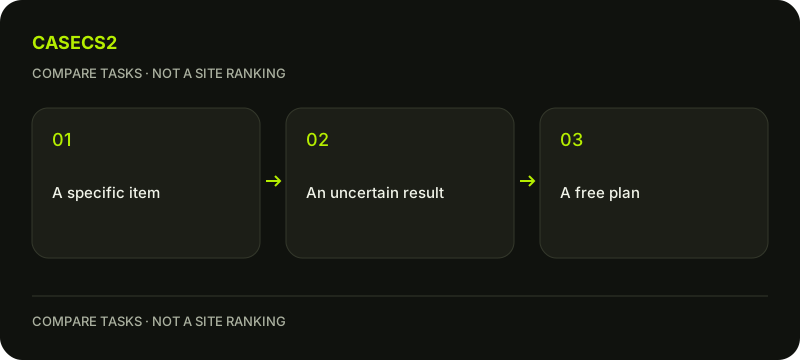
Choose the kind of action before comparing site names. Looking for an exact skin, opening a case and risking inputs in an upgrade are different tasks. A comparison asks what you select, what you pay or put at risk, and when an item actually reaches the intended inventory. A brand does not answer those questions, and an unreadable page should remain unverified rather than being marked as missing a feature.
CASECS2Updated:
Compare the task, not just the brand
Your task
What you select
Main question before acting
Exact-item purchase
A particular offered item
Does the listing and delivery match your requirement?
Case opening
A case under current conditions
Do you understand the random result and cost?
Upgrade
Inputs and a desired target
What is at risk if the outcome differs?
Free planning
A comparison or draft
Which information remains unknown?
Suppose you need a specific finish for a frequently used rifle. A case containing something visually similar is not equivalent to a listing for that item. Decide whether exact identity matters or you are exploring appearances. This changes the fields a meaningful comparison needs.
Task comparison: purchase, uncertain result and planning
Keep the competitor evidence appropriately limited
The Case-Battle FAQ reviewed on 3 November 2026 distinguishes its internal balance from Steam Wallet and describes a withdrawal request. That supports those narrow observations, not a promise about your eligibility, a particular item’s availability or completion time. The observed FAQ redirect from case-battle.moe to case-battle.tax is a route observation, not proof about ownership of every related domain.
The detailed current conditions of GGDrop and CSFloat were not confirmed in this review; check the relevant service pages directly. Do not fill a comparison table with “absent” merely because a feature could not be read. Leave current fees, eligibility and transaction conditions unresolved until you can inspect the relevant primary page.
The same standard applies to CaseCS2: use its current terms and product page, not an assumption that the familiar site automatically wins. The case-versus-upgrade checklist helps distinguish the two activities before comparing services.
For an exact item, establish identity and evidence
Write the weapon, finish and variant you actually mean. The weapon-name check prevents a similar label from becoming a false match. Then use catalogue versus instance images to decide whether the picture supports the exact properties you need.
Reading an instance float helps when a known wear value matters. Use the free Float tool to interpret known inputs, not invent a missing value. The free comparison tool can organise candidates without certifying a live listing.
If comparing amounts, mixed-variant price comparison explains why unlike variants should not be ranked as interchangeable. Keep the actual cost, matching object and current conditions together.
For cases or upgrades, compare the proposed risk
A case opening has a random item result. An upgrade risks the stated inputs, potentially including balance, for an uncertain target outcome. Neither becomes an exact purchase because a preferred picture is shown. The case-budget comparison guide gives a practical way to read current cards within a boundary you choose.
You may inspect cases under 100 or the upgrade page, but confirm the actual current costs, stated chances, availability and terms there. Category names and remembered presets are not sufficient evidence.
An upgrade is not a wear repair on a retained item. Do not use an unwanted result as a reason that another attempt is required. A further paid action remains a separate decision.
Separate account balance, inventory and Steam receipt
An internal balance is not automatically Steam Wallet, and an item shown on a site is not automatically a completed Steam transfer. The site inventory versus Steam trade guide helps name the actual state you are comparing.
Read Steam Trade Protection for the separate Steam-side conditions. A service’s withdrawal-request description should not be stretched into a guarantee that every item is immediately transferable or every operation is finished. Keep the current request, observed inventory and confirmed Steam operation separate.
For your own decision sheet, record the primary page, date and unresolved condition. A request described in a FAQ and an operation you personally completed are different kinds of evidence.
Finish with a shortlist you can explain
Use the free inventory builder to check whether the desired style actually improves your plan. A draft can remain useful without choosing any paid route. Write one reason each service or action belongs on your shortlist and one condition still needing confirmation.
Existing age, regional, account and commercial restrictions remain applicable. Language, a brand name or access to a planning tool does not establish permission. Check service availability under its current terms for your country.
The outcome is a task-specific comparison, not a ranking by popularity or a profit promise. You can prefer a route once its current conditions are understood, keep a candidate unresolved or stop with the free plan. Clear unknowns are more useful than a confident table built from assumptions.
Checked 3 November 2026. This compares tasks, not returns, transfer speed or provider reliability. Paid-service eligibility follows current terms and location, not page language.
Help
Questions and answers
What you should know before you begin.
Is a case containing a skin the same as buying that skin?
No. A possible random result is not an exact-item transaction. Compare the kind of action first.
Does an unreadable page prove a service lacks a feature?
No. Mark the feature unverified and seek the relevant current primary information.
Does a withdrawal request mean the Steam transfer is complete?
No. Keep the request, site inventory and confirmed Steam operation as separate states.