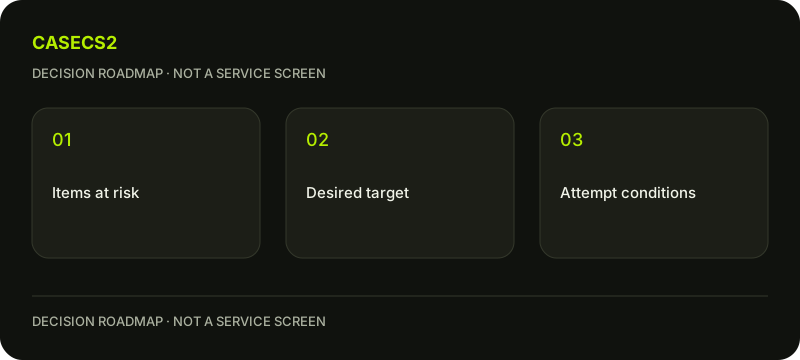
Prepare an upgrade: identify your inputs, target and unresolved questions
Start by identifying what you would put at risk, then inspect the target as a separate candidate. Selected inventory items and any added balance belong to the input side of the decision; the desired item belongs to an uncertain outcome. A clear preparation sheet connects these roles without inventing a chance formula, a fixed preset or a promise that the target will be obtained.
CASECS2Updated:
Create an input-and-target sheet
Field
Preparation question
Keep separate
Selected inputs
Which actual inventory records are involved?
A desired target image
Added balance
Is any amount included in the proposed action?
A guaranteed item purchase
Target
Which item and variant do you mean?
Certainty of obtaining it
Current conditions
What does the page actually state?
An invented formula or preset
Use a hypothetical plan to replace a visually busy rifle. The plan explains the preference, but it does not make risking current items necessary. First make the proposed action understandable before deciding whether it fits your purpose.
A check diagram, not a game screen.
Identify each input from the actual inventory state
Read the records you are considering, rather than substituting similar-looking catalogue candidates. The CaseCS2 item-actions guide helps frame what is shown and which action you are preparing. A wishlist entry and an item available for an action are not the same state.
Confirm the weapon and finish with the model and name check. If a special variant matters, the StatTrak variant guide offers a specific example of why a qualifier should stay attached to the object. Do not silently transfer a property from a similar record.
Keep a plain-language description of the proposed inputs. If a record cannot be identified confidently, leave it out of the prepared action until the uncertainty is resolved. A completed-looking list is less useful than a shorter list whose contents you actually understand.
Understand the target without borrowing properties from a picture
The target needs its own identity check. The catalogue versus item-image guide helps distinguish a reference appearance from confirmed instance evidence. Do not infer a target’s exact wear value or availability from the attractiveness of the image.
Use collection versus rarity to avoid letting a grade replace the reason you want the item. A target may be visually unsuitable for your plan even when its label is exciting. Write a concrete preference such as a quieter focal area, rather than assuming a higher category necessarily improves the set.
The free comparison page can organise alternatives. It does not reserve a target or certify stock. Keep the best-supported candidate and the unanswered properties visible together so a missing field does not become an optimistic assumption.
Use float only for an item-property question
Start with reading an instance float when a real value is available. Then use the free Float tool for that known calculation. It is not a way to calculate the success of a proposed upgrade or predict an unknown result.
Same wear, different float helps compare candidates within a broad label, while pattern versus float separates another distinct property. Do not turn an appealing pattern into a guessed number or let one numeric difference decide every visual preference.
An upgrade is not a physical wear repair on an item you keep. Evaluate the desired result as an item in its own right. If your original goal was simply to understand a wear boundary, the calculation may already answer the question without requiring any upgrade action.
Compare the proposed change with your existing set
Place the target idea in the free inventory builder beside the arrangement you actually intend to use. Keep a version retaining the current items as a comparison. This shows what the proposed change would contribute without pretending that the draft is a completed inventory operation.
The weapon-role planning guide helps identify whether the slot is important enough to deserve attention. A cross-weapon colour check can clarify whether the target strengthens the set or simply adds another competing accent.
Write the benefit and the limitation in separate sentences. For example, the target’s palette may suit the main rifle while adding little to other roles. That is a design trade-off, not a price forecast. Do not attach an unsupported total or describe the planned replacement as a guaranteed financial improvement.
Review the current proposal on the upgrade page
Only after the inputs and target are clear, inspect the proposal on the upgrade page. Read the actual stated chance, input conditions, any balance involved and target availability. Do not supply a remembered preset, maximum chance, item count or external formula when the current proposal is what matters.
Understand what is at risk and what the page says about each outcome before deciding. Target selection does not guarantee acquisition. This platform activity should not be confused with a Steam trade-up process or a way to alter an existing instance’s wear. Applicable age, regional, account and commercial conditions remain unchanged.
You can stop with a well-prepared sheet. If you choose a paid action, its uncertain outcome does not create a need to repeat it, recover a loss or raise the stake. Keep the preparation useful independently of that choice: confirmed inputs, identified target, known conditions and explicit unresolved questions. Those are the concrete results of this guide, rather than a profit promise.