



CASECS2 / FLOAT
CS2 float calculator: compare wear and position
Compare two float values and read the exact difference. A wear category describes a numeric interval, not a verified price or the appearance of a particular Steam item.
Compare two CS2 float values
Float is a number from 0 to 1. Enter two values to compare wear categories and their exact difference. This local calculation does not inspect a Steam item or verify its appearance or price.
Example: 0.2 — Field-Tested; 0.4 — Well-Worn; difference 0.2. Enable JavaScript to enter your values.
| Category | Float |
|---|---|
| Factory New | 0 ≤ float < 0.07 |
| Minimal Wear | 0.07 ≤ float < 0.15 |
| Field-Tested | 0.15 ≤ float < 0.38 |
| Well-Worn | 0.38 ≤ float < 0.45 |
| Battle-Scarred | 0.45 ≤ float ≤ 1 |
Method and source differences
The existing reference model uses 0.07, 0.15, 0.38 and 0.45. Lower bounds are included; upper bounds are excluded except 1. Values are not rounded before classification. Valve publishes 0.07, 0.15, 0.37 and 0.44. Results show the Valve category and explain any difference from the original table. Neither table verifies a particular item.
Valve finish guide · Archived CSFloat inspect code
Finish limits
A wear category and a finish’s minimum/maximum float are different facts. Verified limits for individual finishes are unavailable here. Entered values do not establish whether a particular skin can have that float. A smaller float does not guarantee a price or identical appearance.
Reference images do not establish instance float
These real reference images use the same catalog as comparison and loadout. They are unrelated to inputs A and B; instance floats are unknown.
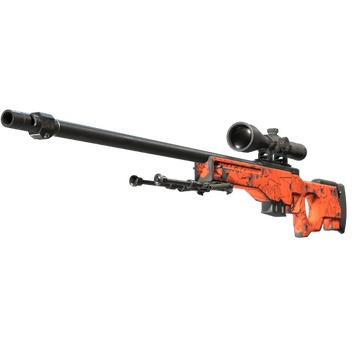
Image temporarily unavailable; item selection still works.
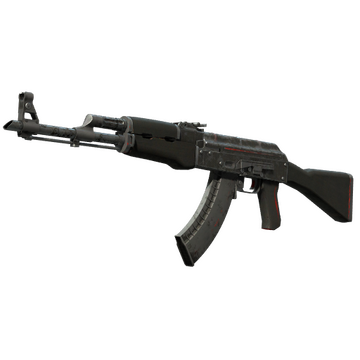
Image temporarily unavailable; item selection still works.
Calculate with your own values
Enter verified float values and bounds from 0 to 1. These are dimensionless numbers, not image wear percentages. The example is not a real offer.
The example is calculated. Enable JavaScript to enter your own values.
- Position in range, %
- 25
How to read float
Use a value obtained from an item you have checked. Float is dimensionless and runs from 0 to 1. A decimal comma or point is accepted; a percentage such as 20 is not a valid float. The comparison preserves exact decimal input rather than rounding before classification.
Boundaries and interpretation
Valve lists category boundaries at 0.07, 0.15, 0.37 and 0.44. The original reference model uses 0.38 and 0.45 for the last two boundaries. The explorer displays the Valve category and identifies disagreements with the original table. Lower bounds are included; upper bounds are excluded except 1. The separate position calculator uses the minimum and maximum you enter; these inputs do not verify a finish’s allowed range.
Steps
- Enter checked values Enter two complete decimal values. Do not substitute a rounded screenshot label for the full value.
- Compare the result Submit after changing an input. Read A and B separately, then their exact difference.
- Check the individual item Float alone does not establish pattern, surface appearance, ownership, stock or value. Verify the actual item and finish limits separately.
Fields and allowed values
Use a value obtained from an item you have checked. Float is dimensionless and runs from 0 to 1. A decimal comma or point is accepted; a percentage such as 20 is not a valid float. The comparison preserves exact decimal input rather than rounding before classification.
| Field | Minimum | Maximum |
|---|---|---|
| Float value | 0 | 1 |
| Minimum float | 0 | 1 |
| Maximum float | 0 | 1 |
Sources and scope
CASECS2 tool prepared with AI assistance. Arithmetic is checked with automated fixtures. Finish ranges and individual item properties are not loaded automatically; independent expert review is not claimed.
Calculations remain in this browser and are not saved to an account. No payment, trade-up or item modification is performed. Steam sign-in is not required.