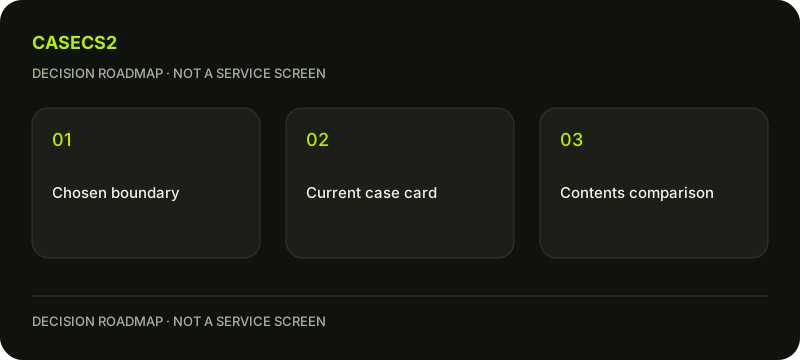
Compare CaseCS2 case categories: a spending boundary and contents worksheet
Choose a spending boundary before browsing categories, then compare the actual case cards rather than the category names alone. A category is a route to current candidates; it is not a substitute for the cost, contents, stated chances and availability shown for a particular case. Keep the amount you might spend separate from any reference value attached to a possible result.
CASECS2Updated:
Set up the comparison before opening a category
Decision field
What to write
Why it matters
Personal boundary
Your chosen limit for this decision
Prevents the category from choosing for you
Current opening cost
What the actual card states
Establishes the relevant cost
Possible contents
Item types and candidates you understand
Connects the case to your purpose
Unresolved information
Missing or unclear conditions
Identifies what still needs reading
For a hypothetical example, you want to explore rifle finishes that suit a calm set. That purpose does not make the result selectable. It simply gives you a reason to compare contents instead of choosing the loudest theme.
A check diagram, not a game screen.
Use category pages to find candidates, not set the boundary
Open cases under 100 or cases under 500 as a browsing route when it fits the boundary you already chose. Read the current card before treating a case as eligible. Do not infer a specific live price from a remembered page title, old image or another visitor’s experience.
The case platform selection guide helps frame what information a service decision needs. For the difference between paid activities, the case opening versus upgrade checklist is the appropriate broader route. Here your narrower task is comparing case candidates without silently expanding the amount you intended to consider.
If a candidate does not fit the original boundary, leave it out. A more appealing possible item does not change the cost condition you wrote. You can retain a note about the preference without turning it into a reason to raise the boundary or repeat an activity.
Give cost and reference value different jobs
Write the actual opening cost as the amount relevant to the decision. A reference value on a possible item is different information and should not be subtracted from that cost as if the item were guaranteed. The reference price and cost guide explains why those labels need care.
When several pictured items have different variants, mixed-variant price comparison helps avoid a false ranking. Keep identity, variant and context together. An impressive-looking reference number without a matching object is not a reliable reason to prefer one case.
Do not calculate an earnings expectation from incomplete card observations. The worksheet is useful without inventing a return estimate or treating a potential result as money already recovered. If current information is unclear, the next step is to read the relevant conditions, not fill the gap with a favourable guess.
Read the possible contents as actual object types
First identify whether the pictured result is the kind of object you mean to evaluate. The container and item-types guide prevents a container, sticker and weapon finish from being treated as equivalent candidates. Then the weapon model and name check helps establish the specific item.
Use collection versus rarity when a grade or group label is doing too much work in your decision. Neither label answers whether the finish suits your intended role. Keep personal usefulness separate from the excitement of a rarity name.
If the card uses a general image, the catalogue versus item-image explanation gives a useful evidence boundary. Do not add an instance float, exact pattern or live stock claim simply because a reference picture looks convincing. Current card conditions remain the source for the case decision.
Test whether the desired style belongs in your plan
The free comparison tool can help organise the finishes you find interesting. It does not predict which one a case will produce. Write why each candidate belongs: perhaps its main colour is calmer or its visible motif works better with your existing plan.
If a known wear value raises a specific question, use reading an instance float before the free Float tool. The tool interprets known information; it does not inspect an unknown future result. Leave missing instance data unfilled rather than guessing from the name.
Place the idea in the free inventory builder. The weapon-role planning guide helps determine whether the slot matters at all. A draft may show that the attractive candidate solves no current need. That is useful information, even when the category looked promising at first.
Keep a short decision record for the actual case
Finish with the chosen boundary, current card observation, understood object types and any unresolved conditions. Compare candidates using those same fields, not a fresh standard whenever another image catches your attention. Keep the shortlist small enough that you can explain every entry.
Before any paid action, confirm the actual cost, stated chances, availability and applicable terms again on the current case. Existing age, regional and account conditions remain in force. A selected category, saved comparison or useful draft does not expand eligibility or promise the result you prefer.
You may end with a shortlist and no opening. If you choose to proceed, the result remains random and should not be framed as income, recovery or a guaranteed improvement. The next paid action would be a separate decision, not a requirement created by an unwanted result. The worksheet succeeds when the current case and your own boundary are clear.