Check CS2 Missing Executable without downloading a replacement file
Steam’s Missing Executable error can mean that a required game file is missing or blocked. A security tool’s quarantine is one possible cause, not the only explanation. Start with the exact error and legitimate Steam installation, then use targeted checks rather than downloading a replacement executable from an unrelated site.
CASECS2Updated:
Read the exact target and error
Observation
Record first
Avoid immediately
Missing Executable notice
Full message and target game
Downloading a similarly named file
Security-history entry
Time and legitimate installation match
Restoring everything in quarantine
Install button or absent entry
Current Library state
Assuming every case is the same error
For example, the Install-button guide concerns recognizing existing files, while app already running concerns process state. Keep the actual notice intact instead of combining all launch failures under one repair.
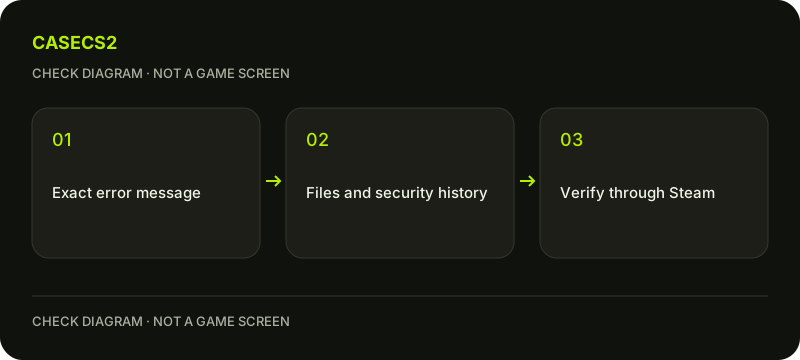
A check diagram, not a game screen.
Confirm the legitimate installation context
Open the intended game through your own Steam Library and inspect its Installed Files location through Steam’s controls. This guide does not supply a guessed path or executable filename that should be copied across computers. Identify the installation Steam actually uses.
Save work before Steam’s basic restart step and keep the error’s observation time. Do not introduce a new account or move files manually while trying to identify the target. A folder with a familiar name is not enough to establish that a third-party download belongs in the legitimate game installation.
Review security history without blanket overrides
Steam lists a false-positive quarantine as one common cause. If reviewing your security tool’s history, compare the relevant event with the actual game installation and timing. A matching entry is evidence to investigate, not proof that every blocked file should be restored.
Do not disable antivirus or firewall protection broadly, add a wide exclusion or mark unknown content safe just to remove the message. If the security finding is unclear, use the vendor’s official support guidance. Preserve the distinction between a legitimate game-file question and an unverified file acquired elsewhere.
Verify through Steam and make one launch test
Use the installed-file verification guide to let Steam check the game’s content. Record the result, then try one controlled launch from the same Library entry. Failed or corrupted downloads are also possible, so quarantine should not be treated as the universal cause.
Do not run a downloaded replacement executable, a crack or a third-party repair program. Steam’s own verification is the relevant source-bound route here. If a new write or installation error appears, preserve its complete wording and use the disk-write checklist for that separate stage.
Keep persistent symptoms distinct
Record whether the same notice remains after the restart and verification, whether it changed or whether the game opened. A successful menu observation does not prove that every underlying hardware or security issue was diagnosed. Avoid simultaneously editing launch options or deleting configuration folders.
If several applications have unrelated failures, describe that broader pattern separately rather than blaming the game alone. This page does not claim that protection settings were changed or a real computer was tested. It offers an evidence sequence for the reader’s actual error without promising an immediate universal repair.
Send detailed evidence only through the appropriate channel
If the problem persists, Steam Support may need the complete error image, system information and steps already performed. Follow the support-evidence checklist, preserving the relevant error text while excluding private notifications. A desktop Steam error is not necessarily captured with the game’s screenshot shortcut.
Submit sensitive system reports privately through the official support ticket rather than posting them publicly. The useful endpoint is a legitimate installation checked through Steam and a precise remaining symptom. A Missing Executable notice is not a reason to trust an arbitrary file mirror or surrender credentials to a repair service.
If the message concerns disconnection from a protected server instead of a missing file, use Disconnected by VAC checks.
Sources checked on 2 November 2026. Labels and locations can vary by client version and language. Match the described action in your own current installation.
Help
Questions and answers
What you should know before you begin.
Does the error always mean antivirus quarantine?
No. Steam lists quarantine as one possible cause; missing or failed-download content can also matter.
Should I download the missing executable elsewhere?
No. Use the legitimate Steam installation and verification rather than an unrelated standalone file.
Can I post the full system report publicly?
Use the official private support channel for sensitive reports and remove irrelevant private details from public evidence.