Understand a limited Steam account without promising a universal unlock
Steam’s limited-account policy uses at least 5 USD of qualifying Steam spending, tracked through the account’s own status. That does not mean every payment, received gift or Market sale counts, nor that meeting this condition unlocks every Community Market feature immediately. Check the current indicator and the separate rules for the feature you need.
CASECS2Updated:
Identify what the account indicator measures
Example category
Relationship to the rule
Avoid assuming
Qualifying Steam Store or Wallet spending
Can count under the stated policy
Every pending payment already counts
A gift received from someone else
Does not count as your qualifying spending
Gift value unlocks the account
Market sale proceeds
Not qualifying spending
A sale total replaces the threshold
This table explains the policy; it is not a purchase recommendation. Start with the limited-user indicator on the actual account instead of calculating a required payment from an unrelated website balance.
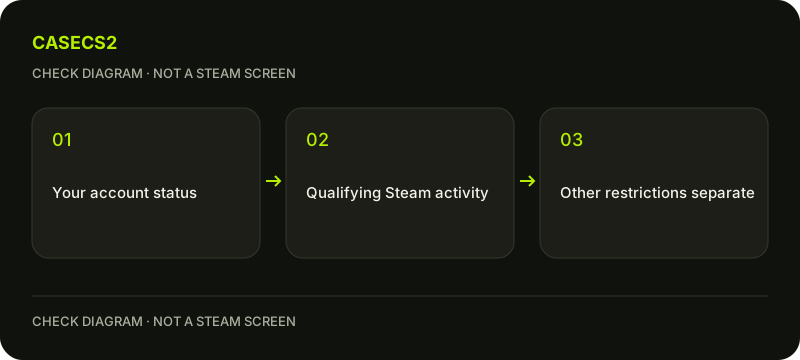
A check diagram, not a game screen.
Read qualifying and excluded categories
Steam lists qualifying categories such as adding Wallet funds, purchasing through the Steam Store or redeeming an appropriate Wallet card. It excludes categories such as received gifts, received digital gifts, retail keys, free games, demos and Market sale proceeds.
Read the full current conditions for your actual category rather than relying on the word “purchase” alone. A pending payment that has not been processed does not establish qualifying status. The genuine Steam login guide helps keep an account check separate from an unsolicited payment or unlock link.
Do not invent a fixed local-currency amount
Steam tracks non-USD qualifying spending against the USD threshold using the applicable daily conversion at purchase. A fixed ruble, euro or yuan amount copied from an older guide is therefore not a universal current requirement.
The actual account indicator is the relevant authority for progress. Do not change Store country or payment methods to force another interpretation. A localized item name or website language also does not change the account’s financial history. Keep the displayed units and status rather than translating the threshold into an unsupported payment instruction.
Understand refunds and reversals separately
Steam explains that refunds to an external bank or payment method and chargebacks can subtract qualifying spending and may return the account to limited status. A refund to Steam Wallet does not modify eligibility in the same way.
This distinction describes the policy’s accounting effect; it is not advice to initiate a refund or dispute. Do not infer status from an amount before the operation is complete. If a record seems inconsistent, preserve the actual payment and account status privately rather than creating a second transaction to see whether the indicator changes.
Keep Market and Prime conditions separate
Limited status is not the same as Prime, a CS2 rank or a VAC ban. The Prime access guide concerns another product condition. A bonus credited by CaseCS2 also does not count as qualifying Steam spending.
Community Market access has separate conditions in its FAQ. Meeting the limited-account threshold alone should not be represented as immediate permission for every Market action. Similarly, the Market buy-order guide explains a transaction state, not a universal method to remove account restrictions.
Check the specific feature without overspending
Read the current notice for the feature that is unavailable. Limited accounts are not categorically unable to have friends: Steam describes accepting invitations and Quick Invite codes separately from restricted actions. Avoid absolute claims that all community interaction is impossible.
If you need help, use the support-evidence checklist and the account identity checklist to establish the relevant context. No real payment is needed for this explanation. The useful conclusion identifies the stated condition and current account status, without a spending recommendation or a promise that one amount unlocks everything.
Sources checked on 2 November 2026. Labels and locations can vary by client version and language. Match the described state in your own current interface.
Help
Questions and answers
What you should know before you begin.
Does a received gift count toward my qualifying spending?
Steam excludes received gifts and received digital gifts from this qualifying-spend calculation.
Does meeting the threshold unlock every Market feature immediately?
No. Community Market access has its own additional conditions.
Will a website bonus remove Steam limited status?
No. A separate service’s bonus is not qualifying spending in Steam’s policy.