Why Steam Market prices use different currencies for buyer and seller
Steam Market sellers list in their native Wallet currency, while buyers see prices in their own Wallet currency. For cross-currency transactions Steam applies a rate that its FAQ says is updated daily. Read the signed-in account’s actual currency and the amount type before comparing numbers from different people or different observation times.
CASECS2Updated:
Compare labels before comparing amounts
Observation
Required context
Invalid shortcut
A buyer-facing price
Buyer currency and item
Comparing only the number
A seller-facing field
Whether it is paid or received
Treating every field as net proceeds
An older screenshot
Observation time and currency
Calling it a current exchange quote
As a hypothetical example, 10 units of one currency and 10 units of another are not directly comparable prices. This is not a proposed conversion or an executable offer. Keep the units visible instead of guessing equivalence from matching digits.
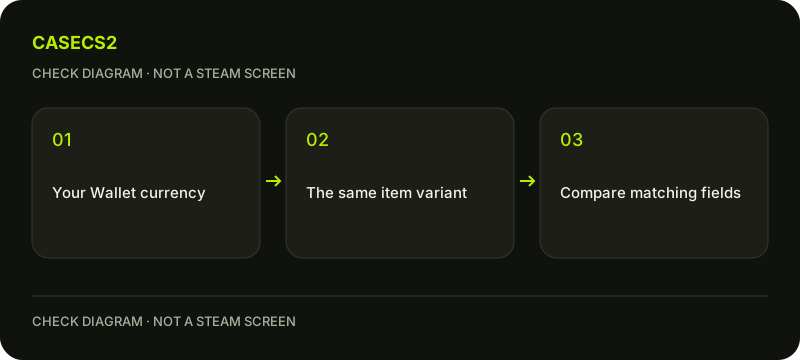
A check diagram, not a game screen.
Check the signed-in Wallet context
Steam’s FAQ says to sign in to see the correct currency for your account. Confirm that the current page belongs to the intended session, especially when comparing a public screenshot with a signed-in Market view.
A familiar profile image does not establish the account context. Use the identity checklist when needed. Do not change Store country or use a network workaround merely to make a number resemble somebody else’s screenshot. Display currency is a product rule to read, not a reason to bypass regional conditions.
Match the exact item and variant
Before considering currency, confirm the model, finish, wear and special variant. The localized item-name guide helps separate a translated label from a different item. A price difference can concern the object being compared rather than the currency conversion.
Retain the full name and any relevant quantity. Do not compare an ordinary item with StatTrak or another special version merely because the pictures look similar. The mixed-variant comparison guide addresses that specific source of misleading comparisons before any arithmetic is attempted.
Keep the daily-rate statement limited
Steam describes applying a conversion rate for transactions across currencies and updating it daily. That statement does not provide this article with a live rate or prove that two screenshots were observed under the same conversion.
Record the actual observation time and currency. A search snippet or an old screenshot is not today’s executable quote. Do not infer profit from a lower-looking numeral, and do not calculate an exact current rate from incomplete fields. There is no fixed foreign-exchange formula or universal numerical rate supplied here.
Distinguish what is paid from what is received
Read the current field labels and confirmation when determining whether a value represents the buyer’s payment, seller’s receipt or another display. Avoid treating all those amounts as interchangeable because they share a currency symbol.
For broader planning across currencies, use the inventory currency comparison guide. This page’s narrower question is how Steam’s own display is governed. A planning tool should not produce a trustworthy total from unverified prices; the comparison guide explains how to keep missing price information explicit.
Finish with a comparable record
A useful note includes the same item identity, amount type, currency and observation time. If one part is missing, leave the comparison unresolved instead of filling it with an assumed conversion. No transaction is necessary to understand this display distinction.
Use the support-evidence checklist when an actual field remains unclear. Avoid sharing authentication details or claiming that changing language expands payment access. The result should explain why two displayed numbers may differ, not recommend adding funds, changing account country or treating a stale observation as an available offer.
Sources checked on 2 November 2026. Labels and locations can vary by client version and language. Match the described state in your own current interface.
Help
Questions and answers
What you should know before you begin.
Does every buyer see the seller’s native currency?
Steam says buyers see prices in their own Wallet currency, while sellers list in their native Wallet currency.
Is an old screenshot a current conversion rate?
No. Preserve its date and units; Steam’s daily-rate statement is not a live quote in that screenshot.
Can I compare only the digits?
No. Match item, amount type, currency and observation time first.