Check a Disconnected by VAC message without assuming a permanent ban
For the exact Disconnected by VAC secure-server message, preserve its wording before deciding what happened. Steam describes interfering software or modified game content as possible causes, but one notice does not establish a universal diagnosis. A disconnection error and a confirmed account VAC ban must be investigated under their separate rules.
CASECS2Updated:
Keep the original message intact
Message or state
First distinction
Avoid claiming
Disconnected by VAC
Exact secure-server error
Every VAC error is a permanent ban
Confirmed account ban
Official ban type and affected game
File verification removes it
Another launch failure
Its own error text
Every failed launch has this cause
For example, the Missing Executable guide concerns missing or blocked content at launch. The already-running guide concerns process state. Do not apply either diagnosis merely because the game cannot be used as expected.
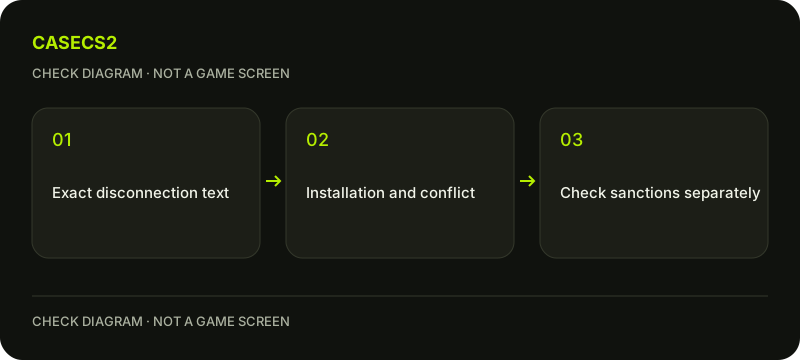
A check diagram, not a game screen.
Start with ordinary restart and file checks
Save work before restarting the computer and Steam normally. Then use the installed-file verification guide for your legitimate game installation. Record the result before another controlled attempt.
This is not a promise to resolve every secure-server error. Do not download a third-party repair executable or delete unknown folders. A successful verification establishes the result of a local content check; it does not prove that the account is free of every restriction or that the next server will accept the connection.
Review known optional interference
Steam identifies third-party interference and modified game content as possible contributors. Review known optional tools or custom modifications associated with the legitimate installation. If a particular nonessential application is identified, save its work and close it normally before comparing the same situation.
Do not stop security services, disable antivirus or firewall protection broadly, or uninstall ordinary system tools just because an old generic list mentioned software categories. Keep the application, observed interaction and test result specific. One error message cannot establish that every background program is interfering.
Preserve protection rather than bypassing the error
A secure-server error is not an invitation to hide a process, change boot protections, use an insecure launch route or switch network location to evade checks. This guide provides no administrative repair command, registry change or driver manipulation.
Review unfamiliar copied settings separately through the launch-options checklist. Do not add another unknown line to a confusing configuration. Keep the normal game context and one recorded change so that any difference is interpretable without weakening the protective environment.
Check an actual ban under its own policy
If a confirmed ban is present, read the official ban FAQ for that type and affected game. Local file repair does not reverse an enforced account decision. Similarly, an existing Competitive cooldown is not removed because the computer restarted successfully.
Do not infer innocence or guilt solely from a connection error. The useful distinction is between what the client reports as a technical connection state and what the account actually shows as a sanction. Keep both observations if they coexist rather than allowing one to erase the other.
Prepare a narrow private support record
If the issue remains, retain the full notice, observation time, normal restart and verification results, and the exact optional-software comparison performed. Capture the client error with an appropriate operating-system method, not a promise that an in-game key captures every desktop window.
Review sensitive system reports before submitting them privately through official support. Do not publish account secrets or entire logs in an open chat. A sound completion note states which checks passed and what remains unresolved; it does not claim that a cause was diagnosed or every server restriction repaired from one message.
Sources checked on 2 November 2026. Labels and locations can vary by client version and language. Match the described state in your own current interface.
Help
Questions and answers
What you should know before you begin.
Does this message always prove a VAC ban?
No. Distinguish the specific disconnection notice from an actually confirmed account ban.
Will file verification remove a ban?
No. It checks local installed content, not reversal of an enforced account decision.
Should I disable security software broadly?
No. Use targeted observation and legitimate checks rather than weakening system protection.