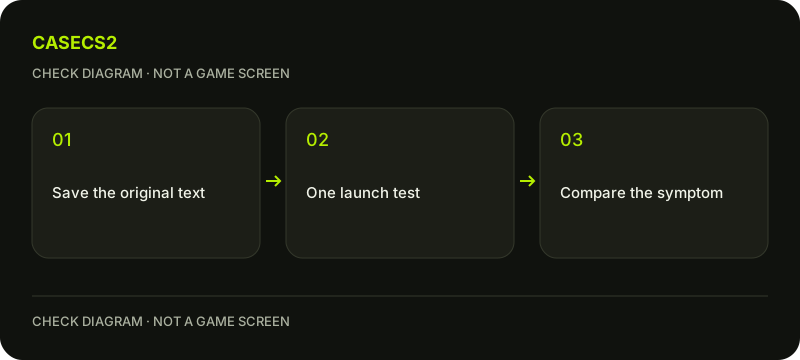
Find CS2’s launch-options field through its Steam Library Properties, under General. Before editing it, save the current string privately and identify what you actually want to test. Clearing copied options can be a controlled comparison, but it is not a promise to restore every game setting or improve performance.
CASECS2Updated:
Define the comparison first
Observation
Useful comparison
Avoid assuming
A copied option preceded a problem
Same launch with that entry removed
Every option is valid for CS2
A long unknown string is present
A saved-string versus empty-field test
Emptying restores every setting
A different shortcut behaves differently
Launch from the same Steam Library entry
Steam shortcut arguments equal game options
For example, if a problem appeared after pasting a tutorial’s entire line, write down the original symptom and when it began. Do not immediately add another tutorial’s line. The aim is an interpretable difference, not accumulating settings until something happens.
A check diagram, not a game screen.
Find the field for this game
Close CS2 before preparing the test. In the Steam Library, open Counter-Strike 2 Properties and look under General for Launch Options. Check that the Properties window belongs to CS2 rather than another installed game.
This field is not the argument list on a shortcut that launches the Steam client itself. Steam explains that game launch options can override internal settings before launch, so a copied entry deserves the same care as another configuration change. Avoid putting account credentials or other secrets into shortcut text or a launch-options field.
Preserve what is already there
Copy the complete existing string into a private note before changing it. Preserve spacing and punctuation so that a later restoration uses the known text, not your memory. If you know which entry was added, record that separately alongside the symptom.
Steam describes multiple options as separated by spaces, but that is not a recommendation to invent a new list. An unfamiliar console command is not automatically a valid launch argument. If your actual task is enabling a text window, use the developer console guide instead of editing launch options for an unrelated goal.
Make one limited test
Remove the identified unnecessary copied entry, or use an empty field as the comparison when that is appropriate and the full original string is saved. Launch CS2 from the same Steam Library entry and inspect the same symptom. Do not change graphics settings, drivers and launch route simultaneously.
Record whether the behavior changed. Clearing this field does not guarantee that every earlier configuration change is undone. For a language question, use the client and game language guide; a guessed language flag is not needed to complete that documented settings check.
Keep engine-specific advice in its scope
Steam’s general help includes common options for older GoldSrc and Source games. That section is not a universal list of CS2 performance improvements. Do not transfer a flag solely because it appeared in a guide for a different Valve title.
Use the dated-update checklist when deciding whether advice matches the current game. There is no promised FPS gain in this procedure. If the symptom is a damaged local installation, the file verification guide addresses that separate question rather than supplying another launch string.
Restore deliberately and record the result
If needed, return the field to the saved known string and repeat the original launch route. Keep the before-and-after observation together. A result such as “same symptom with an empty field” is useful: it prevents treating an unhelpful change as a successful fix.
If you need further assistance, follow the support-evidence checklist. Share only the relevant options and behavior after reviewing private details. Do not import remote configurations, disable game protections or use a region-bypass option to resolve a basic local settings question.
Sources checked on 2 November 2026. Menu locations and labels may vary with the client version and language; check your own current state before changing it.
Help
Questions and answers
What you should know before you begin.
Where are CS2 launch options?
Open CS2 Properties in the Steam Library and inspect Launch Options under General.
Does an empty field reset every setting?
No. It removes those launch arguments, not necessarily every configuration change made elsewhere.
Are old Source options guaranteed to work in CS2?
No. Advice for older engines must not be treated as a universal CS2 recommendation.