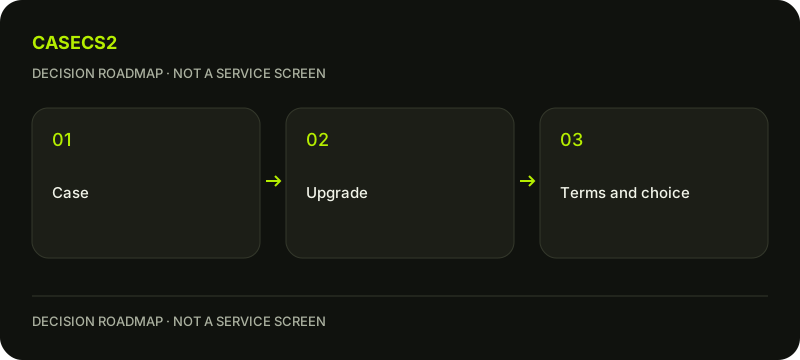
Case opening or upgrade: a checklist before choosing on CaseCS2
A case and an upgrade are different paid decisions, and neither guarantees the item you prefer. Case opening produces a random item; an upgrade puts the stated items or balance at risk for an uncertain outcome. Start with your purpose and the current page conditions, then use free planning to decide whether you need either action at all. A visually attractive result is not a profit forecast.
CASECS2Updated:
Separate the two decisions
Decision
What you are choosing
What must remain clear
Case opening
A case under its current conditions
The result is random
Upgrade
Stated inputs and a target under current conditions
Inputs are at risk and outcome uncertain
Free planning
A comparison or draft
It creates no promised inventory
No paid action
Keep the useful information
No need to justify planning with spending
Use a hypothetical purpose such as finding a calmer rifle design for a set. That purpose helps evaluate an option, but does not make the desired item more likely or justify an action whose conditions you do not understand.
A check diagram, not a game screen.
Read the case as a current product decision
Look at the case you are actually considering, not a remembered screenshot or a similarly named page. The guide to how CaseCS2 works helps turn an attractive theme into questions about the current contents and decision. Read the live card for the opening cost, stated chances and item availability; do not fill missing information with an old snippet.
If you browse cases under 100, treat the category as a way to inspect current candidates rather than a promise about a specific outcome or an invented price list. Confirm the actual card before deciding. A low entry cost does not transform a random result into a chosen purchase.
Use item types and containers when a pictured object is unclear. A container, sticker and weapon skin are not interchangeable results. Knowing the object type is necessary before comparing its relevance to your original purpose.
Read the upgrade as a risk to stated inputs
On the upgrade page, identify the proposed input items, any balance involved, the target and the current stated conditions. Keep the displayed chance separate from a guarantee. Selecting a target is not the same as obtaining it, and an unsuccessful outcome should not be described as progress toward a promised win.
The item actions guide helps distinguish what is shown in the site inventory and the actions being considered. Before proceeding, understand what you are putting at risk and what the page says will happen under each result. If a term is unclear, pause the decision rather than treating the animation as an explanation.
An upgrade is not a tool for changing the wear value of an item you keep. Pattern versus float and same wear, different float explain why those properties belong to item evaluation, not a promise that this activity repairs a skin.
Evaluate the desired item before evaluating the paid route
Use the free Float tool for a known wear-value question, not for predicting a random result. Use the free comparison page to explain why one candidate suits your purpose better. If the item name or variant is uncertain, first consult weapon model and name checks.
Then use collection versus rarity to avoid replacing the actual preference with a grade. The grade does not tell you whether a colour arrangement suits the set or whether a particular instance is available. Keep the distinction between an appealing finish and an inspected item.
If the picture is generic, catalogue versus item images explains why it cannot establish every instance property. This is particularly important when an exciting presentation encourages a stronger claim than the evidence supports. A shortlist can remain provisional without making the planning work useless.
Check the larger set and the later inventory question
Put the preferred idea into the free inventory builder. Compare it with what you already intend to use, rather than assuming every possible result would improve the set. A draft can reveal that the original slot was already adequate or that another role matters more.
If you are unsure which inventory an item belongs to, read site inventory versus Steam trade. Do not describe a site result as an already completed Steam transfer. Those states need their own evidence and current conditions.
The trade-link check does not prove stock guide addresses another useful boundary. A valid link is not proof that a desired item is available. Keep an access check, an inventory observation and a completed operation separate when interpreting what you actually have.
Choose an action only after the conditions are clear
Finish with a short decision note: purpose, current card checked, inputs understood, item questions resolved or explicitly open. Existing age, regional and commercial restrictions remain in effect. Do not infer permission from the page language, a saved draft or access to a free tool.
You can stop with the comparison and do nothing paid. If you choose a case or upgrade, accept that the result is uncertain and does not guarantee improvement or profit. Do not treat an unwanted result as a reason that another attempt is necessary. A new action is a new decision under its current conditions, not an obligation created by the previous one.
Keep the free draft and your reasoning useful regardless of that choice. The checklist is complete when the distinction between planning, random case opening, upgrade risk and later inventory operations is clear. It is not completed by a deposit, an animation or a claim that a selected target must eventually arrive.
Sources checked on 3 November 2026. Labels and locations can vary by client version and language. Match the described state in your own current interface.
Help
Questions and answers
What you should know before you begin.
Does selecting an upgrade target guarantee that item?
No. A selected target belongs to an uncertain activity whose current inputs and conditions must be understood.
Can a category page replace checking the case card?
No. Read the actual current case for cost, stated chances, contents and availability before deciding.
Does a valid Steam trade link prove the item is ready?
No. Link validity, stock, site inventory and a completed Steam operation are separate states.