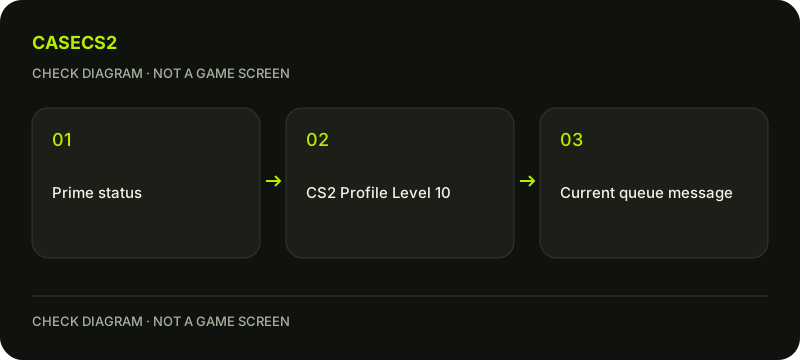
Steam’s current CS2 help requires both Prime Status and Profile Level 10 for Premier access. Owning Prime alone does not establish that second requirement. Check the account entitlement and the CS2 profile progress separately, then read any remaining queue message instead of treating a purchase as a universal access fix.
CASECS2Updated:
Check two requirements rather than one
Account situation
What to check
What it establishes
Prime owned, below Profile Level 10
CS2 profile progress
Prime alone is insufficient for Premier
Level 10 shown, Prime uncertain
Actual account entitlement
Level alone is insufficient
Both present, queue still blocked
Exact current queue message
Another condition needs investigation
A player can correctly remember purchasing Prime while overlooking the profile-level requirement. Start with those separate facts. If you switched accounts, first use the account identity check to make sure the progress and purchase refer to the same account.
A check diagram, not a game screen.
Confirm what Prime actually changes
According to Steam, Prime provides XP, competitive skill groups, Counter-Strike Rating and eligibility for weekly care packages, alongside the stated Premier access conditions. These are account features, not a promise of a particular match result or reward value.
A free account does not receive XP or weekly care packages without Prime under the current FAQ. Do not follow old guides suggesting that an obsolete level milestone automatically grants free Prime. When deciding whether a feature matters to you, identify that feature first rather than relying on an old screenshot of a different system.
Distinguish purchase, login and inventory
Prime is offered through the game or Steam Store. Read the current offer for your account and region if you choose to purchase it; this guide does not quote a universal price or payment method. Steam currently says Prime cannot be removed from an account.
A skin purchase, a website balance or signing into a website through Steam is a different action. None should be mistaken for buying a Valve account entitlement. Check the actual Steam offer before spending anything for the purpose of unlocking a game feature.
Check the lobby as well as yourself
Prime and non-Prime players can form a premade lobby together. Steam says that such a mixed lobby is treated as non-Prime and matches against non-Prime users. A non-Prime account cannot join a Prime-only match.
If a friend joins and the available experience changes, inspect the lobby composition before assuming your own Prime disappeared. Explain the distinction without sharing account credentials or asking someone to lend their account. Your own entitlement does not convert every other lobby member into a Prime user.
Record the exact remaining restriction
Once Prime and Profile Level 10 are confirmed, read any remaining access message literally. Record the wording and the time it occurred. This guide does not promise to bypass account restrictions, queue conditions or other current eligibility checks.
Compare a recent change with the official-update review checklist. If a website inventory appears different from Steam, consult the two-inventory explanation instead of treating website data as your CS2 entitlement screen. Each source answers a different question.
Choose the next step for your goal
For Premier, resolve the specifically displayed missing condition. For XP or weekly rewards, verify Prime and then inspect the relevant progress screen. For cosmetic planning, account progression is not a prerequisite for making a free plan in the inventory builder.
Keep these goals separate so that an access problem does not become an unnecessary purchase. Prime eligibility does not guarantee profit from rewards, and changing a website’s language does not expand the regions or payment methods supported by Steam or any other service.