Can a Steam login account name be changed like a player nickname?
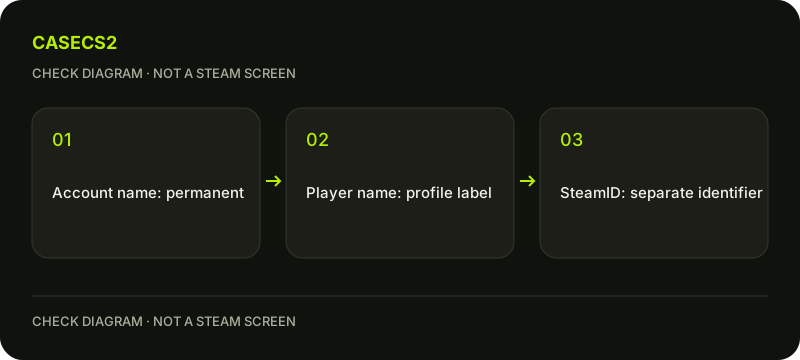
Steam says the Steam Account Name and SteamID cannot be changed, even by Support. The public player name is a different field and can be edited through the profile. First identify which name you mean: a new nickname in CS2 does not change the login account, its identifier or ownership of purchases and items.
CASECS2Updated:
Name the field before seeking an edit
Field or label
Relevant role
What a nickname edit does not do
Steam Account Name
Account login identity
Rename that permanent field
SteamID
Stable account identifier
Generate a new identifier
Player name
Public profile display
Transfer purchases or inventory
For example, you may want a shorter name displayed to other players. That is a profile-display question, not a reason to recover or replace an account. Write the desired outcome first instead of assuming every field containing the word name has the same editing rules.
A check diagram, not a game screen.
Read the immutable-name boundary
Steam’s official explanation states that neither SteamID nor Steam Account Name can be changed, including by Support. This is not a missing profile button or an invitation to find a special account-renaming service.
Do not publish the login name while asking which field is which. A helper does not need your credentials to explain the policy. The account identity checklist covers stable identity in another context. It does not derive a numeric SteamID from a nickname or promise that an editable label can replace the account identifier.
Use profile editing for the public name
The changeable player name is edited through the profile settings. Use the profile name and avatar guide for that visual editing task. Confirm the intended account before saving and inspect the actual display afterwards.
A profile edit does not need a new account, merged purchases or a transfer of items. Also distinguish the player name from a weapon Name Tag and a clan tag; those features alter different visible information and do not rename the login field.
Keep security and access restrictions separate
A changed public name does not reset bans, ratings, float values or account entitlements. It also does not change a trade-link token simply because the visible label is different. Read each restriction or access condition under its actual rules.
If a site uses Steam authentication, do not assume that changing the nickname merges site accounts or changes which provider identity is authorized. The login-and-return guide explains how an intended task and authenticated session need their own checks. The public label is not a universal account-routing control.
Verify another person through the actual account
Names and avatars can look familiar without identifying the intended recipient. A renamed account remains the same underlying account; another account can also use a similar display name. These are different reasons not to rely on appearance alone.
Use the relevant stable account information and actual operation details before approving a transfer. Do not treat a successful nickname edit as proof of someone’s ownership or trustworthiness. Compare the stable recipient information with your intended operation before deciding whether to continue.
Record the answer at the right scope
Your conclusion should say whether the question concerns the immutable login field or the editable public name. If the goal was simply a different visible nickname, direct that task to profile editing without claiming a new identity was created.
If the original problem is inability to access the account, use official recovery rather than assuming a new name will fix it. No rename tool can legitimately override the stated immutable-field rule. A useful result preserves the distinction between presentation, authentication and ownership instead of replacing the account or moving data to satisfy a cosmetic request.
Sources checked on 2 November 2026. Labels and locations can vary by client version and language. Match the described state in your own current interface.
Help
Questions and answers
What you should know before you begin.
Can Support change my Steam Account Name?
Steam says the Account Name and SteamID cannot be changed, even by Support.
Can the public player name be changed?
Yes. It is a separate profile field covered by the profile-editing workflow.
Does changing a nickname reset restrictions?
No. A public display edit does not reset account sanctions, ratings or ownership.