“I accidentally reported you”: a chat message is not Steam account support
A message saying that someone accidentally reported you and that a supposed administrator must be contacted through Steam chat or Discord matches a scam pattern Steam documents. Steam disregards false reports and does not provide account support through chat. Check a genuine account issue through official Steam help, not the sender’s nominated contact or payment demand.
CASECS2Updated:
Separate the story from an official state
What the message claims
Relevant check
Do not assume
An accidental report threatens a ban
Your own official account status
A chat deadline is authoritative
A named admin must fix it
Official help route
Discord or Steam chat is account support
Payment or items are required
Whether this is a legitimate account process
A gift card verifies ownership
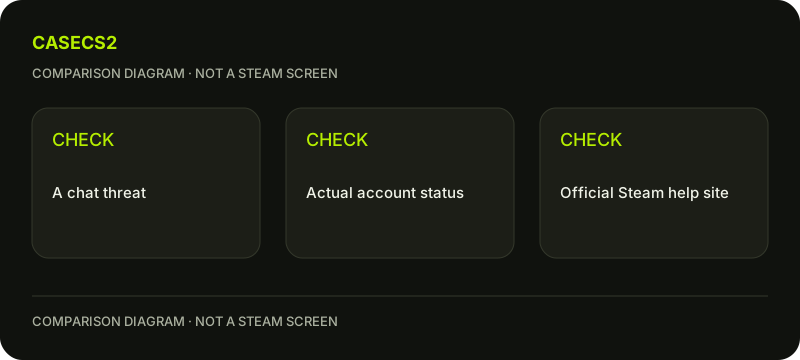
Imagine a short message urging you to contact an admin immediately. The claim is still just a message. A chat deadline should not turn pressure into authentication, a transfer or spending.
A check diagram, not a game screen.
Use Steam’s stated support boundary
Steam’s guidance says Valve does not handle account support through chat, including Steam or Discord. The official help site is the route for account issues. A person describing themselves as an administrator does not gain authority by displaying a familiar logo or a long profile history.
The profile-identity explanation helps separate public appearance from identity. A real moderation or account issue can exist, so do not conclude every alert is false. Instead, compare your actual official status with the story rather than accepting a third-party contact as the authority over it.
Do not send codes, items or payment
An accidental-report claim does not require a gift card, item transfer, password or authentication code to be cancelled. Steam’s policy of disregarding false reports is not a paid review service operated by the person in the chat.
If a login request appears, use the genuine-address checklist. If an item proposal appears, read the Wallet-promise guide and the actual contents rather than the sender’s explanation. Do not create a real transaction or approve a session to discover whether the supposed administrator’s promise is true.
Check a genuine restriction separately
Read any actual account notice through your own legitimate Steam access. The ban-type guide explains why issuer and scope matter, while the communication-penalty guide covers another specific restriction.
A chat claim is not a substitute for either policy. Read the actual official notice and available help options. A false-report message does not establish the account’s real status or a response deadline. The goal is to route a real issue correctly without letting an unrelated story dictate authentication or payment.
If access was exposed, prioritize security
When credentials or approvals have already been given, follow Steam’s official security guidance and inspect authorized devices. Review the associated mailbox and the relevant account-access steps rather than simply closing the conversation.
Keep any later item question separate from restoring account access. There is no automatic promise that securing the account reverses every earlier operation. Record what was actually disclosed and observed privately, excluding secrets from any public description. If unable to sign in, use official recovery rather than returning to the supposed chat administrator for help.
Preserve evidence without extending the scam
Where appropriate, use the legitimate reporting or blocking controls for the message. Describe the actual demand and keep unnecessary personal information out of public discussion. Do not contact others automatically, send a test payment or repeat the conversation to investigate an identity.
A complete conclusion can be simple: the accidental-report claim is not an official account-support channel, and the proposed chat contact is not the route to resolve a ban. That does not require a public accusation or a fabricated guarantee about the account. Continue only through the legitimate help context for any real issue that remains.
Sources checked on 2 November 2026. Labels and locations can vary by client version and language. Match the described state in your own current interface.
Help
Questions and answers
What you should know before you begin.
Must I contact the admin named in the chat?
No. Steam account support is handled through the official help route, not a nominated Steam or Discord chat contact.
Should I pay to remove a false report?
No. Steam disregards false reports; the chat story does not create a payment requirement.
Does the scam message prove my account has no restriction?
No. Check any genuine account state independently through official Steam access.