Apply or remove a CS2 Name Tag without losing track of the weapon
A Name Tag gives an owned weapon a nickname. Choose the intended weapon, preview the text and read the final confirmation before applying it. Removing an existing name does not return the consumed tag. A nickname also does not replace the weapon’s model, finish or variant when you identify the item.
CASECS2Updated:
Choose the action before using a tag
Your goal
Check first
Expected decision
Add a nickname
Correct owned weapon and text preview
Apply only after confirmation
Remove a nickname
Existing name on that weapon
Read Remove Name confirmation
Identify a market item
Original model, finish and variant
Ignore the nickname as an identifier
For example, you might want to call one rifle Blue Note. First inspect the exact rifle in your inventory: another weapon with a similar image is not interchangeable. Keep a note of its original name so that you can recognize it afterwards. See how custom names affect item identification before comparing two similarly named entries.
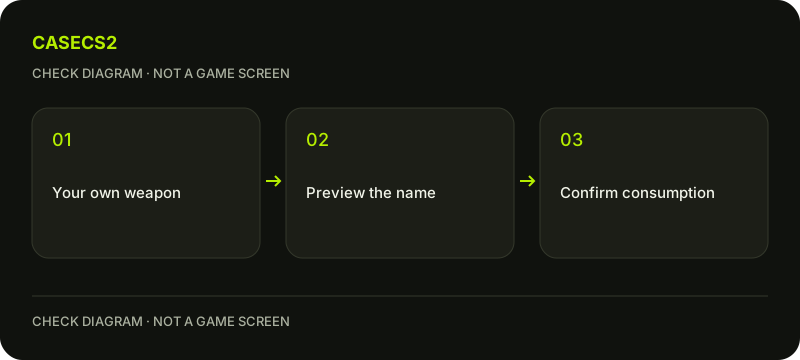
A check diagram, not a game screen.
Prepare the text and check the preview
Open the naming action for the selected weapon and enter your proposed nickname. Check spelling, spacing and every displayed character in the preview before accepting. Steam’s supported character list does not guarantee that arbitrary Unicode will appear correctly. This matters especially when copying decorative symbols or text from a different alphabet.
If a character is missing from the preview, change the text rather than assuming it will appear after application. Keep the name short enough to read comfortably in the actual preview. Do not spend the tag merely to test an uncertain character.
Apply once, then inspect the same weapon
Confirm only when both the item and the displayed nickname are correct. Steam describes Name Tags as single-use items, so treat the confirmation as a commitment rather than a reversible text editor. After applying, return to the same inventory entry and verify the result.
The name has a predetermined position on the weapon. A Name Tag is not a movable sticker, and there is no position adjustment to discover by dragging it. For visual comparisons, use consistent inspection views so that the name and weapon are easy to recognize.
Remove a name with the removal action
Steam’s documented route is to select the named weapon, choose Rename and then Remove Name. Read the current confirmation before continuing. The removed tag does not go back into your inventory, and an already applied tag cannot simply be edited as reusable text.
If you only wanted to change how a planning sheet labels the item, edit your own notes instead of modifying the weapon. For a new in-game nickname, check the currently available naming action and its requirements rather than assuming removal supplies another tag.
Keep the underlying skin identity intact
When recording the result, keep the nickname in a separate field from the original item name. Model, finish and special variant still matter. Follow the localized item-name checklist when a seller’s label differs from yours.
A nickname is not evidence of ownership, a special float value or rarity. If you compare finishes, use the skin comparison tool for the supported records and verify the actual instance separately. Do not interpret a shared nickname as proof that two screenshots show the same item.
Make a final three-part check
Before leaving the inventory, verify the original weapon identity, the displayed nickname or its removal, and the item you intended to change. Stop if the selected item differs from your notes. There is no reason to approve a trade, provide an API key or send a weapon elsewhere to rename it.
For a future visual set, record the finished weapon in your own plan. A planning label is useful for organization, but it does not perform the in-game rename. This separation makes later edits easier without consuming another accessory by mistake.