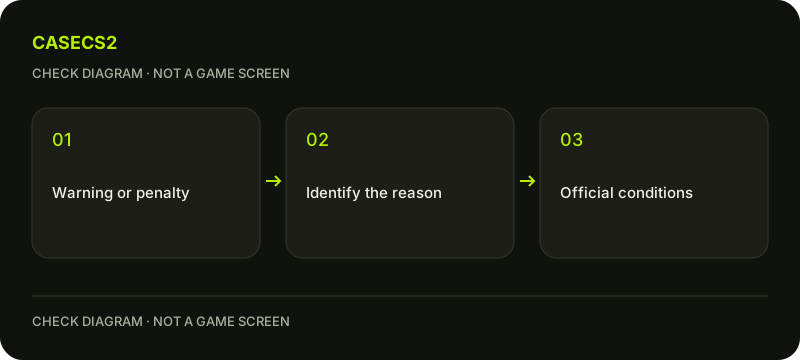
A CS2 communication warning is not the same state as a communication penalty. Steam says the penalty makes the account muted by default for voice and text across CS2 servers, unless others manually unmute it. First identify the actual notice and context instead of treating every unheard microphone as an account restriction.
CASECS2Updated:
Identify the type of problem first
Observation
Relevant distinction
Avoid concluding
A communication warning
Warning versus imposed penalty
Every warning already mutes the account
Default mute for other players
Account communication restriction
A local volume change removes it
No microphone input
Device and game input path
A penalty is automatically the cause
For example, a system input meter that does not react needs a local microphone check. The voice-input guide separates those stages. A notice about account communication should instead be read under the communication policy.
A check diagram, not a game screen.
Understand the warning stage
Steam describes a warning after excessive reports of abusive communication. That warning itself has no effect on the account. It is an opportunity to change behavior before a later penalty, not a statement that every current voice problem has already been explained.
Read the actual message rather than relying on another player’s interpretation. Do not retaliate with reports or encourage a group to submit false complaints. A report is not a guaranteed immediate punishment. Keep the policy distinction clear so that an ordinary warning is not represented as a completed mute or a fixed countdown.
Understand the penalty and its visibility
Steam says further legitimate reports can lead to a communication penalty; a Steam Community ban can also cause one. The stated effect is being muted by default for both voice and text on CS2 servers. Other players can manually unmute the account through the scoreboard.
That individual unmute does not mean the underlying account penalty was removed. It is also different from your decision to mute another player. Keep those perspectives separate when describing what others can hear or read. No particular local keyboard, audio or Overlay setting establishes that the account restriction disappeared.
Follow the removal condition that applies
For a report-based penalty, Steam describes removal through earning XP on official Valve servers. A penalty tied to a Community ban expires when that Community ban expires. These are different conditions, not one timer that can be calculated from a few matches.
Repeated penalties can require more XP, and excessive penalties can result in a permanent mute on Valve servers. No exact XP quota, number of matches or repetition count is promised here. The Prime and XP explanation concerns account eligibility; it is not a payment method for removing a communication restriction.
Keep appeals and technical repair separate
Steam states that communication warnings and penalties cannot be appealed or manually removed. Do not confuse that rule with review of a mistaken removal of profile content, which is a different moderation question. No paid helper can legitimately promise an exception to this communication process.
If a microphone remains silent in a context not explained by a penalty, continue local diagnosis separately. Similarly, a Competitive cooldown concerns another type of restriction. Avoid treating every account message as one combined ban with one universal repair.
Record the current state without exposing conversations
Keep the notice type, applicable reason and observed behavior. You do not need to publish private voice logs or repeat abusive text to explain the issue. Follow the support-evidence checklist for any separate technical problem that remains.
The useful next step is to understand the condition that applies and communicate responsibly, not switch accounts or search for a restriction bypass. This guide does not offer an appeal template, a removal service or a claim that a local setting clears the server’s account state.
Sources checked on 2 November 2026. Labels and locations can vary by client version and language. Match the described action in your own current installation.
Help
Questions and answers
What you should know before you begin.
Does a warning already apply the default mute?
Steam states that the warning itself has no account effects; a penalty is a separate stage.
Can I appeal a communication penalty?
Steam says communication warnings and penalties cannot be appealed or manually removed.
Does another player unmuting me remove it?
No. Their individual unmute is different from removal of the account-level penalty.