A CS2 weapon finish does not gradually wear out because you use it. Playing matches, firing and inspecting do not increase its float. A different-looking screenshot is therefore a reason to check the item and viewing conditions, not evidence of accumulated damage. Sticker scraping, item names and StatTrak counters are separate properties.
CASECS2Updated:
Which changes actually mean something?
Start by identifying the field you are comparing. “The skin changed” can describe several unrelated observations. The following table separates the main cases; it does not claim that every action is available for every item.
Observation
What to check
Does it prove increased float?
More matches played
The same item’s actual float
No
Different scratch visibility
Light, angle and texture settings
No
Scraped sticker
That applied sticker’s appearance
No
Different displayed name
Base weapon and finish identity
No
Different StatTrak number
The counter on the StatTrak item
No
If the number itself matters, use the actual instance rather than a generic inventory thumbnail. The float guide explains the fields without turning an illustration into a measurement.
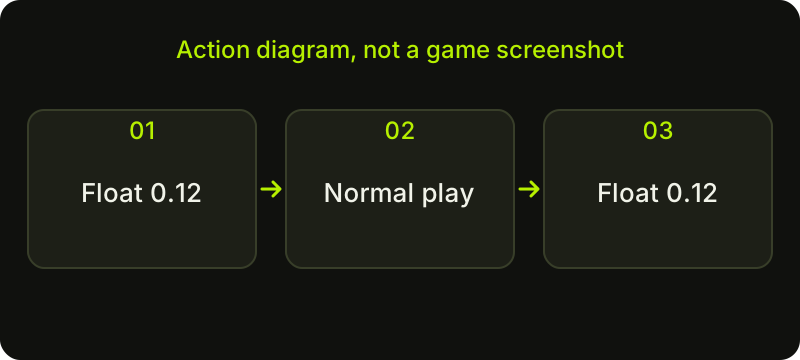
Check sequence: a diagram, not a game screenshot.
A before-and-after example
Imagine an owned item whose verified float is 0.12 before a week of normal play. This is a hypothetical example, not a reading from a real account. Playing that week does not turn the number into 0.13. If a later screenshot looks rougher, first ask whether it shows the same item, the same surface and comparable lighting.
Do not estimate a new decimal from the amount of visible scratching. Different finishes distribute wear differently, and an image does not provide a reliable numeric measurement. For a structured way to record one instance, use reading an individual skin’s float.
Check that it is the same instance
Two weapons can share their model, finish name and condition label while being different items. Comparing yesterday’s favourite with a similar result in a catalogue can accidentally become a comparison of two instances. Record the base name, the confirmed float where available, the paint seed where relevant and recognisable sticker details.
A custom name is a label, not a replacement for the base identity. A screenshot showing only that name is weak evidence of continuity. Keep your comparison notes private if the surrounding inventory reveals information you do not want to share. You do not need to publish an inventory or provide account credentials to make this check.
Make the images comparable
Use the same inspection angle and roughly the same position in the animation. Compare the same side of the weapon. Keep texture quality and other relevant graphics settings consistent, and avoid judging one bright image against a dark gameplay frame.
An update can also change rendering or the presentation of a finish. That is different from the item gaining wear through use. Record when you captured each image and check the corresponding official update notes before explaining a visual difference. The lighting comparison guide helps turn this into a repeatable inspection rather than a memory test.
Keep sticker actions separate
Scraping or removing an applied sticker is a deliberate change to that sticker. It is not a way to adjust the weapon’s base float. Likewise, renaming an item changes its displayed name, while a StatTrak counter has its own purpose. Do not use any of these changes as a proxy for finish durability.
Before an irreversible cosmetic action, read its own confirmation. If you only want a cleaner screenshot, first try a different inspection view instead of changing the item. Normal play is not a reason to “repair” a finish, and this article does not recommend any service claiming to restore a float number.
Use a small record, then stop checking
A useful note needs only the item identity, a confirmed numeric value if you can read it, and one or two comparable images. You do not need a daily wear diary: the finish is not losing condition each time you queue for a match.
If you are choosing between two examples, compare their present appearance and the information available now. The Float & Wear Explorer accepts values for a manual comparison; it does not inspect your Steam item automatically. If a real numeric discrepancy remains, preserve the evidence and verify the source of each reading before making another change.
Sources checked on 2 November 2026. Historical announcements explain the introduced mechanics; check the current CS2 and Steam interface for available actions and your item’s status.
Help
Questions and answers
What you should know before you begin.
Can shooting make a Factory New skin become Minimal Wear?
Normal play does not increase the item’s float or progressively move its finish into another condition. Check the actual instance if two records disagree.
Does scratching a sticker change the weapon’s float?
No. Sticker appearance and the base weapon float are separate properties. Scraping is not a float adjustment.
Why does my skin look different after an update?
First compare the same instance under matching settings and lighting. Check official update notes for presentation changes; appearance alone does not establish a different float.