CS2 Trade Up Contracts: the ten-item and five-Covert routes
Do not apply one input count to every CS2 Trade Up Contract. The ordinary scheme uses ten compatible skins, while Valve added a five-Covert route in October 2025. Some Steam FAQ wording still conflicts with that update. Read the dated rule and your actual in-game selection before making an irreversible item decision.
CASECS2Updated:
Identify the route before counting inputs
Consider two hypothetical lists: ten Mil-Spec skins and five regular Covert skins. They require different rule checks, not just a different total value.
Steam describes the ordinary contract as combining ten weapon skins of the same rarity into an eligible skin of the next rarity, from a collection represented by the inputs. Regular and StatTrak skins cannot be mixed in the same contract.
Use those criteria as a screening checklist, not a recommendation to consume items. First confirm each entry’s full identity and collection. A familiar finish image or similar name is insufficient. The item-name guide helps when the interface and your notes use different languages.
Read the dated Covert extension
Valve’s 22 October 2025 update introduced a separate five-Covert route. Five StatTrak Covert items can produce a StatTrak knife; five regular Covert items can produce a regular knife or gloves, associated with a collection of the supplied items.
The important practical correction is that a blanket claim that Covert can never enter a contract is outdated relative to this announcement. This does not identify the exact outcome of your proposed combination. The Classified and Covert comparison explains the rarity label without assigning a promised result.
Handle conflicting documentation honestly
The Steam FAQ checked for this guide still contains a blanket Covert exclusion despite Valve’s later extension. It also describes Souvenir inputs as usable with a non-Souvenir output. Do not silently replace either point with an older community rule remembered from elsewhere.
Keep the dated update beside the FAQ, then inspect eligibility in the current game. If the item selection does not behave as expected, stop before confirmation and record the mismatch. A source disagreement is a reason for a narrower claim, not permission to invent missing compatibility conditions.
Keep three different actions separate
A Trade Up Contract inside CS2 is not a player-to-player Steam trade and not the upgrade action on CaseCS2. The interfaces, inputs and confirmation consequences differ. Naming them all “trade” hides the distinction precisely when you need it most.
The website and Steam inventory explanation helps locate the action you are considering. This article deliberately provides no output-float formula, item odds or expected-profit estimate. A correct eligibility check cannot establish any of those quantities by itself.
Review the full selection before confirmation
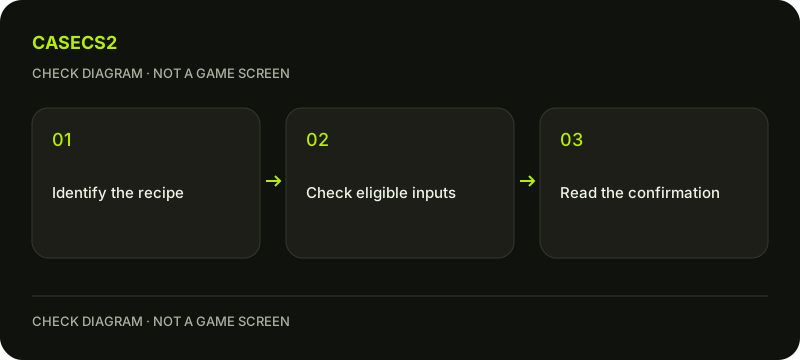
Write one line for each proposed input: exact item, normal or StatTrak status, rarity and collection. Compare the complete list with the route you intend to use. If a field is uncertain or the game refuses an entry, resolve it before proceeding.
You can stop after understanding the rules; there is no requirement to submit a contract as a test. Preserve items you are unsure about and use the current client’s notices as operational evidence. A hypothetical list is useful for learning without turning that lesson into an irreversible experiment.