Do you need to transfer CS:GO skins to CS2 manually?
You do not need a separate migration service to bring a CS:GO inventory into CS2. Valve’s official CS2 page says the entire inventory carries over, with items benefiting from Source 2 lighting and materials. If something looks missing or different, check the Steam account, actual inventory and item identity before attempting any transfer.
CASECS2Updated:
Distinguish absence from a different appearance
Suppose you return after a long break and an old favourite looks unfamiliar. Start by describing what you actually observe.
What you see
First check
What it does not prove
Item absent from the current view
Account and inventory filters
A required migration payment
Same name, different-looking finish
Actual instance and viewing conditions
Ownership was lost
Image on another website
Which inventory it represents
The item is in Steam
The inventory-status guide explains why a website record cannot substitute for the game’s own inventory.
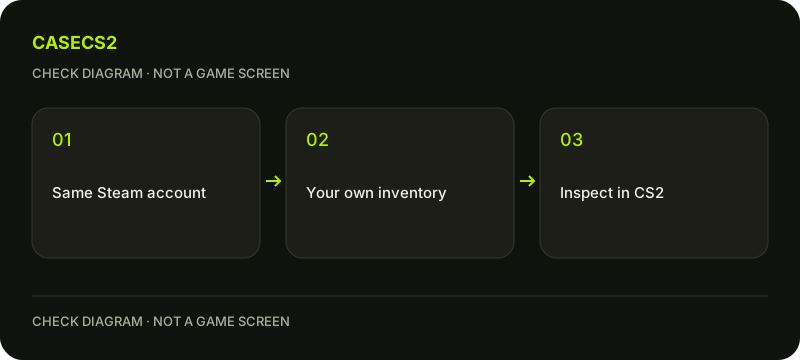
A check diagram, not a game screen.
Start with the same Steam account
Check the account currently running CS2 before investigating the skin. A remembered nickname is weaker evidence than confirming the intended account, particularly on a shared computer or after switching between accounts.
Open the actual inventory and review the view or filters you are using. Do not send items elsewhere as a diagnostic step. If signing in is necessary, follow the authentic Steam login checklist, rather than an unsolicited page that claims migration will fail unless you act immediately.
Read Valve’s carry-over promise precisely
Valve describes retaining the collected inventory while updating its presentation through Source 2. The official page also distinguishes support for legacy models and finishes from updated stock models and finishes that use newer models.
That supports inventory continuity, not a promise that every pixel in an old screenshot will match today. It also does not promise an unchanged market price. Keep those separate questions out of an ownership check: you can confirm the correct item without making a prediction about its visual popularity or value.
Compare the same item under similar conditions
Use the complete weapon and finish name, confirmed instance information where available, and recognisable details. Two similar thumbnails can represent different instances. Do not infer an individual float or paint seed from a catalogue illustration.
The individual-float guide helps organise confirmed properties. For the visual comparison, keep angle, background and graphics settings as consistent as practical. The lighting guide explains why a dark old frame and a bright current inspection are a weak before-and-after pair.
Avoid inventing a transfer step
An external account does not become part of the CS2 upgrade merely by calling itself a migration assistant. Sending a skin to it is an item transfer, not a requirement established by Valve’s inventory carry-over statement.
Keep control of your account and inspect your own records. If an item genuinely remains unexplained, gather the exact name, account context and relevant inventory observations before using official support. A useful report states what is missing and where you looked; it does not require sharing credentials or publishing your entire collection.
Turn the result into a usable inventory plan
Once ownership is clear, decide whether you want to keep the present appearance or compare alternatives. Do this as a new preference decision, not an assumed obligation to replace an old skin because the game changed.
Save a small note with the item name and the evidence you verified. Unknown fields should remain unknown. Separating account identity, item identity and appearance gives you a repeatable check for the next update without relying on a supposed migration tool.
After checking your own items, sketch future combinations in the inventory builder. It saves a plan rather than changing your Steam inventory.
Sources checked on 2 November 2026. Dated announcements explain rule changes; verify your item’s status and available actions in the current client.
Help
Questions and answers
What you should know before you begin.
Must I send my skins somewhere to move them to CS2?
No. Valve describes inventory carry-over as part of CS2, not an external item-transfer procedure.
Does carry-over mean identical appearance?
No. Valve also describes Source 2 lighting and material updates. Compare the actual item under similar viewing conditions.
What should I check if I cannot see an old skin?
Start with the intended Steam account, actual inventory view and exact item identity. Record what remains unexplained before contacting official support.