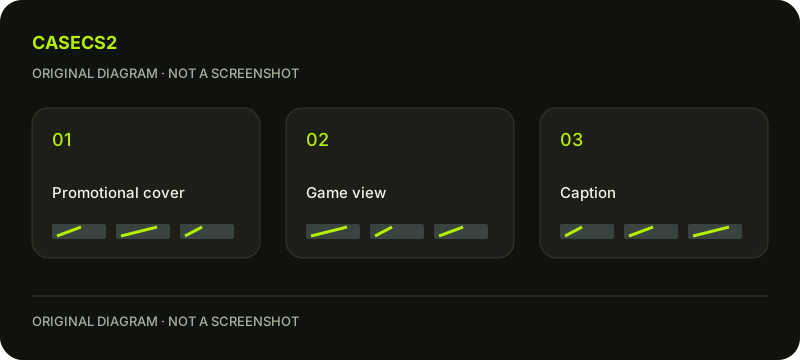
Workshop cover versus inspect images: separate invitation from evidence
Let the cover introduce the idea, and let the appearance views support claims about the design. Valve permits promotional images while asking for unprocessed in-game views. In an original night-garden study, a cover might communicate the theme, while the evidence images show whether the leaf shapes and quiet regions actually read. One role should not quietly replace the other.
CASECS2Updated:
Assign each image a role
Image
Intended job
Question it cannot replace
Original cover
Introduce the night-garden idea
What does the player see?
In-game overview
Show the assembled design
Which small detail explains the theme?
Relevant close view
Locate a specific feature
Is the whole composition balanced?
Use your own garden motifs and presentation artwork. The table separates communication roles; it does not prescribe editing techniques or imply that a particular presentation will be selected.
A check diagram, not a game screen.
Write the claim before choosing its supporting image
List what you want a viewer to understand: quiet background, clear leaves and a single focal blossom. Each phrase should have a corresponding appearance observation. If the blossom only dominates the cover arrangement, do not use that cover as the sole support for a statement about the normal player view.
This method can expose a useful gap. You may need another relevant observation or a more modest description. Both are better than allowing the attractive cover to imply evidence it does not contain.
Give the cover an honest invitation
Choose a short theme statement and an original composition that introduces it. Ask whether the cover encourages the viewer to inspect the actual design or leaves a misleading expectation about its dominant features.
The salience and contrast review helps describe the cover’s attention order. Keep that order distinct from the order in the game views. They may serve different communication tasks without claiming to be interchangeable pictures of the same viewing situation.
Connect the evidence to the current version
Check that the design visible in the supporting views matches the version introduced by the presentation. If the blossom changed location, do not leave an earlier image in the evidence set without explaining the difference. A familiar attractive image is easy to retain by accident.
Use the in-hand composition check to choose the relevant player-view question. Keep the screenshot guide as capture context rather than turning the cover comparison into an export tutorial.
Review a difficult image alongside the cover
Place the cover next to an appearance view where the leaf arrangement is least clear. Ask whether the written description still feels accurate. If it does not, decide whether the design needs revision or the description needs to become more specific.
The lighting comparison helps identify when observation conditions affect the result. Do not remove an inconvenient image simply because it weakens the promotional impression. It may carry the most useful information about the next design step.
Keep a presentation map
Save a short list connecting each image to its job, version and supported statement. A reviewer should be able to tell where the theme is introduced and where the ordinary appearance is documented. Leave a visible gap when a statement still lacks support.
The submission guide covers later decisions. A preview or cover does not change Steam inventory, create a tradeable item or guarantee selection. The finished map makes your original design easier to assess without confusing a promotional invitation with appearance evidence.