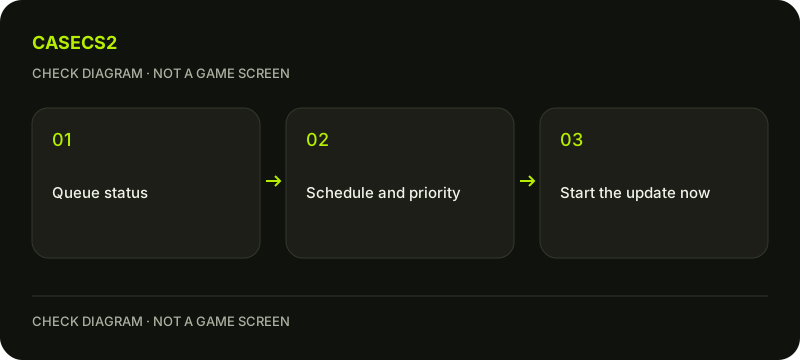
A waiting CS2 update can reflect Steam’s queue, an automatic-update window or per-game update preferences rather than a broken connection. Inspect the Download Manager first. You can manually start an update there, but choosing updates only at launch is not a promise that outdated CS2 can enter online play without required patches.
CASECS2Updated:
Identify the stage before changing settings
Current state
Useful check
Do not assume
Waiting in queue
Queue order and schedule
The network has failed
Active download
Progress and transfer
All remaining work is network transfer
Applying downloaded content
Disk activity and current status
No network means a broken update
For example, another game may precede CS2 in the queue. Check the actual task rather than resetting unrelated settings. Keep a genuine error message separate from an ordinary waiting status; they call for different next steps.
A check diagram, not a game screen.
Open the Download Manager
Use Steam’s Downloads view through the View menu, Library access or the client’s download-status link. Inspect queued tasks, active progress and completed entries. Locate CS2 specifically before changing the order or starting something manually.
If you need the update now, use the task’s current manual-start control. That is different from assuming the client will begin at the exact second you first see it queued. On a shared connection, consider other active downloads rather than repeatedly forcing several tasks to compete and then judging one peak value.
Read the automatic-update window in local time
Steam’s Downloads settings can limit automatic updates to a chosen time window. As a hypothetical example, a local 08:00–10:00 window makes an update outside that window eligible to wait; it is not a guarantee that every update finishes or starts at a specific second inside it.
Record the current schedule before changing it. A manual start in Download Manager can override waiting for that automatic window. Do not interpret a scheduled update as proof of a published Steam maintenance timetable or calculate a universal patch-completion time from another person’s screenshot.
Distinguish game priority from bandwidth
The game’s Properties update preferences include keeping it updated, updating when launched and higher priority. Interpret the current localized control by its function. Higher priority concerns how the update is handled in the queue; it is not a guarantee of additional network capacity.
Likewise, updating only on launch does not permanently disable patches or promise that an old online client can continue unchanged. For download-speed numbers, compare Steam throughput units and limits. Game FPS is a separate observation.
Respect active game and disk work
Steam also has rules controlling downloads while playing. Check the relevant preference if another game session explains why downloads wait. Save work before ending an activity, and do not close the client in the middle of disk writes merely to make the queue refresh.
If an actual disk-write error appears, follow the update-error guide. For installation-content symptoms after completion, file verification is a separate targeted check. Neither should replace reading an ordinary queued status first.
Keep a simple before-and-after note
Record the queue position, schedule, per-game preference and any manual action. Then inspect whether CS2 began downloading, remained queued or moved into disk work. State which phase you actually observed rather than marking the entire update complete prematurely.
The download-cache procedure is not a compulsory first step for a scheduled task and requires re-login. Use the support-evidence checklist if an unexplained error remains. A useful result identifies the waiting condition, not a guessed fixed patch size or an unsupported bypass of updates.
Sources checked on 2 November 2026. Labels and locations can vary by client version and language. Match the described action in your own current installation.
Help
Questions and answers
What you should know before you begin.
Can I start a scheduled update now?
Use the current manual-start control for the task in Steam’s Download Manager.
Does update-on-launch mean no more patches?
No. Launching can require the update; the setting does not promise outdated online play.
Will high priority increase my connection speed?
No guarantee follows. Queue priority and available throughput are separate matters.