CS2 finish roughness and alpha: read the style exceptions first
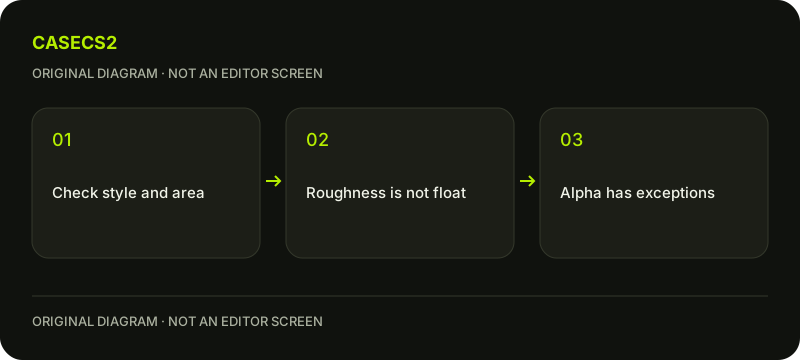
Ordinary material roughness increases as the surface becomes rougher, but certain finish styles use alpha differently. Valve documents an inverted roughness range for Anodized Multicolored and patinated Gunsmith areas. Identify the style and area before interpreting alpha; it is not a universal transparency or gloss slider, and roughness is not item float.
CASECS2Updated:
Name the property before changing a channel
Question
Relevant concept
Avoid treating it as
How broadly light reflects
Material roughness
Instance float
How worn an owned skin is
Item wear evidence
A texture-alpha measurement
What alpha does here
Selected style and area
Universal transparency
Imagine an original painted panel whose reflection looks sharper after an edit. First determine whether you changed an ordinary roughness input or a style-specific alpha interpretation. Without that distinction, describing the result as “higher alpha means rougher” can reverse the actual rule that applies.
A check diagram, not a game screen.
Start from the ordinary roughness direction
Valve’s Paint Roughness explanation describes higher ordinary roughness as rougher. Use that as the general material concept, then read the exceptions rather than assuming the same interpretation for every channel in every style.
Do not infer a texture value from one rendered screenshot. Lighting, view and other material inputs affect what you see. The inspection-lighting guide shows why comparison conditions matter. Begin with one style and a recorded view before trying to explain a difference between two previews.
Keep Anodized Multicolored’s range exact
For Anodized Multicolored, Valve describes texture alpha values from 0 through 127 as roughness with an inverted direction: higher values in that range mean smoother behavior. The guide attributes that inversion to backward compatibility.
It says values above 128 use roughness from the finish definition. Do not silently change “above 128” into “128 and above.” The wording does not prescribe the exact result at 128, so this article does not invent one. Read the current editor and source instead of building a universal boundary preset from incomplete wording.
Inspect Gunsmith by area, not only by name
Valve gives the same inverted 0–127 alpha range for patinated Gunsmith areas. Other Gunsmith areas use Custom Paint masking behavior. That difference means a rule for the patinated region cannot automatically explain every part of a Gunsmith preview.
Likewise, alpha in other styles can carry masking or durability information. Do not call it a universal opacity channel or a generic gloss slider. The first-finish guide supplies broader context, but the current technical description for the actual style remains essential for this narrower diagnosis.
Compare a low and high case deliberately
Use symbolic low and high comparisons within the documented range rather than copying an arbitrary byte preset. Keep the same style, area, view and light while inspecting the result through currently supported editor fields. Change one intended input at a time.
Do not fabricate parameter names, normalization conversions or an import procedure. If the result differs across areas, record those areas explicitly. For a structured visual record, the comparison-board guide offers an organizational approach without converting an authoring experiment into proof about a specific owned skin.
Keep the conclusion separate from wear and value
Record the selected style, area, relevant channel rule and observed response. The wear-state guide and instance-float guide address a different question: the wear information of an actual item.
Editing roughness does not change a purchased item, create ownership or guarantee a resale result. A useful conclusion says why this material behaved differently under a documented exception. It leaves the exact undocumented boundary unknown instead of presenting a confident preset, a market claim or a universal rule for all finishes.
RGB can also store structured data: pattern colour-layer masks need to be distinguished from a finished full-colour image.
Sources checked on 2 November 2026. Labels and locations can vary by client version and language. Match the described state in your own current interface.
Help
Questions and answers
What you should know before you begin.
Does higher alpha always make a finish rougher?
No. Certain documented styles and areas use an inverted range; other alpha uses differ.
What happens at exactly 128?
The cited wording does not prescribe that exact boundary result, so no result is asserted here.
Is roughness another name for float?
No. Material roughness and item-instance wear are separate properties.