CS2 pattern RGB channels can be layer masks, not the finished colors
For certain CS2 finish styles, the pattern’s red, green and blue channels hold separate opacity images, not the final red, green and blue appearance of the weapon. Valve describes a base coat plus three color layers. Identify the style before interpreting the packed image, because full-color Custom Paint is a different case.
CASECS2Updated:
Identify the representation before repainting it
What you inspect
Relevant meaning
Avoid assuming
Red channel
Mask for color layer 1
The weapon must appear red there
Green channel
Mask for color layer 2
It is a photograph’s green component
Blue channel
Mask for color layer 3
It includes the base coat
Imagine an original design with a circle, stripe and small square. A strange-looking packed image can still represent those three separate opacity images correctly. First decide whether you are viewing masks or finished color artwork rather than trying to make every channel look like a rendered weapon.
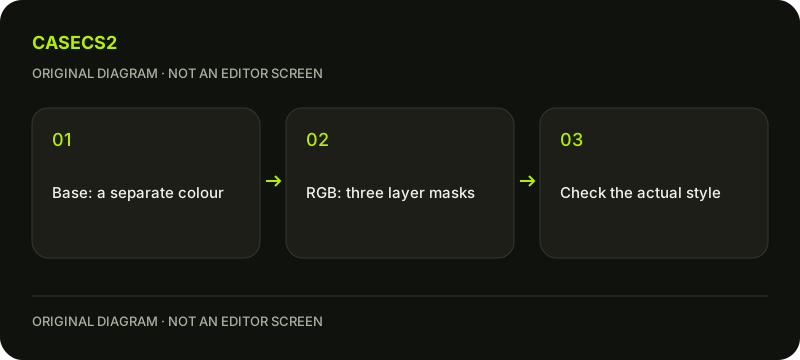
A check diagram, not a game screen.
Read which styles use the color layers
Valve’s technical guide describes up to four colors for Spray-Paint, Hydrographic, Anodized Multicolored and Anodized Airbrushed. Color 0 is the base coat covering paintable areas; colors 1, 2 and 3 correspond to the red, green and blue mask layers.
The base coat is not another image hidden inside those three channels. This distinction concerns color representation, not how the pattern is placed on the model. The UV and triplanar guide covers that separate application question. Do not use a placement explanation to replace the channel interpretation.
Inspect one original layer at a time
In your own source artwork, isolate one mask using the image-editing tools actually available to you. Check which of your shapes belongs to that layer and which areas should not receive it. Repeat for the remaining masks while preserving the original source.
This is a diagnostic exercise, not a claim that every Workshop editor has an identical isolation button. Do not invent an overlap priority, a compositing formula or a numeric channel recipe. If two shapes interact unexpectedly, record their source masks and the selected style rather than guessing an undocumented stacking rule.
Compare source masks with the material preview
Keep the model, style, placement, wear and light recorded while reviewing the effect through the current supported editor. A channel image and the finished material answer different questions; label them accordingly on your comparison sheet.
The albedo and lighting guide explains another reason not to treat a rendered picture as raw input data. For a useful comparison, change only the layer you intend to inspect. Recoloring every layer and changing light at once would hide which part of the result came from your mask revision.
Do not generalize the packed-mask rule
Custom Paint uses full-color artwork rather than this rule being universal for all finishes. Read the current technical description for the selected style before interpreting an image’s channels or importing advice from another finish workflow.
Likewise, alpha can carry style-dependent information. The roughness alpha guide describes why another channel cannot simply be called a generic gloss or transparency slider. This page intentionally gives no guessed import format or file path. Representation, material behavior and pattern placement need their own documented context.
Record a color-layer conclusion, not an item claim
A useful note identifies the selected style, each original mask’s purpose and the observed color-layer response. Keep any unresolved overlap behavior unknown. The first-finish guide provides the broader authoring context without turning this exercise into a tradable-item workflow.
A source-art revision does not change an owned item’s float or paint seed. The instance-float guide concerns another type of evidence. Finishing this check means understanding how the design’s colors are represented, not proving selection, rarity, market value or ownership of a new weapon.
Sources checked on 2 November 2026. Labels and locations can vary by client version and language. Match the described state in your own current interface.
Help
Questions and answers
What you should know before you begin.
Does a red mask mean red paint?
Not necessarily. In the documented layered styles, that channel stores opacity for an assigned color layer.
Is the base coat packed into RGB too?
Valve describes the base coat separately from the three channel masks.
Does every finish use this representation?
No. Read the style: Custom Paint uses full-color artwork, and the mask explanation is not universal.