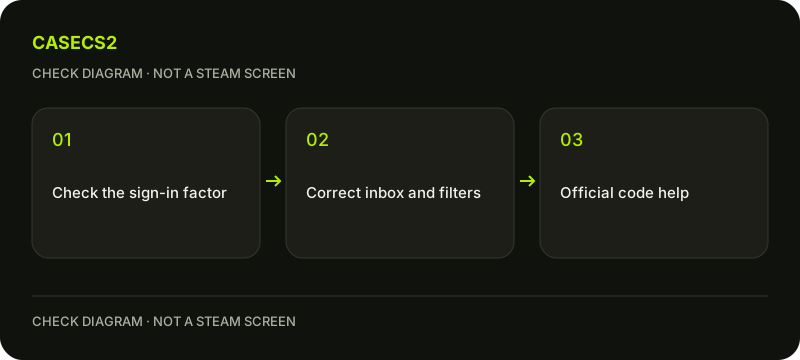
Steam Guard email has not arrived: check the requested factor first
When Steam explicitly requests an emailed Steam Guard code, check the last registered mailbox and its spam handling before repeating the login. This is different from a mobile authenticator code, an app approval or SMS. Follow the actual requested factor, and keep the code inside your own verified Steam login flow rather than sending it to a helper.
CASECS2Updated:
Identify what Steam actually requested
Requested factor
Relevant check
Avoid substituting
Email code
Last registered mailbox
An unrelated mobile approval
Authenticator or app action
The stated mobile flow
Searching every mailbox indefinitely
Unavailable old mailbox
Official account recovery
Sharing credentials with a helper
For example, an app approval screen is not evidence that an email failed to arrive. Read the actual login request before troubleshooting a delivery problem. The authenticator recovery guide handles a narrower mobile-access issue and should not replace the email-code wizard blindly.
A check diagram, not a game screen.
Check the correct mailbox and spam handling
Steam’s email-code wizard refers to the last registered email address. Verify that you are checking the intended mailbox, then inspect spam or filtering locations through that mail service’s ordinary controls. An old inbox open on another device may not be the account’s relevant destination.
Do not disable spam filtering globally just to obtain one message. Review the specific sender handling instead. If you no longer have access to the mailbox, use the official recovery route. A missing email should not automatically become a recommendation to create a new Steam account or change unrelated account details.
Recognize the documented sender names
The wizard lists support@steampowered.com and noreply@steampowered.com as addresses to add to contacts or trusted senders where appropriate. These names help check delivery handling; they are not instructions to email passwords or codes to a supposed support inbox.
A familiar sender display name alone is also not enough to validate a login link. Open Steam through your ordinary route and use the genuine-address checklist if anything is uncertain. Your authentication code belongs only in the verified flow you initiated, not in a chat, website repair form or screenshot.
Use the wizard’s waiting guidance deliberately
The specific wizard says providers can delay delivery, advises waiting up to thirty minutes and then trying the login again to obtain a new code if needed. This is guidance for the presented email-code case, not a promise that delivery will occur within that time.
Do not request new messages every few seconds. Record when the relevant attempt occurred so that you can follow one controlled retry rather than mix several attempts. This article does not invent a code expiry rule, override another factor or tell you which unrelated old message will be accepted.
Keep login safety separate from item restrictions
A delayed email does not justify disabling Steam Guard, approving an unexpected session or bypassing another access control. The QR-login guide explains why approval must correspond to your own initiated action.
Likewise, receiving a code does not automatically alter trading conditions or prove an item was delivered. The inventory-status explanation concerns another set of records. Resolve the requested authentication step on its own terms rather than promising that one successful login removes every unrelated account restriction.
Keep evidence limited if the issue continues
Record the requested factor, mailbox-access status and whether the documented checks and one appropriate retry were completed. Do not publish the code itself or your full mailbox contents. Use the support-evidence checklist for a safe description.
If the old contact method is unavailable, continue official account recovery instead of asking a third party to intercept messages. No real login or mailbox change is performed by this guide. The useful result is identifying the right delivery context and a legitimate next step without claiming that an email delay has been diagnosed or guaranteed to end.
Sources checked on 2 November 2026. Labels and locations can vary by client version and language. Match the described state in your own current interface.
Help
Questions and answers
What you should know before you begin.
Does the wizard guarantee delivery within thirty minutes?
No. It describes possible provider delay and a waiting-and-retry approach, not a delivery SLA.
Should I send the code to a helper?
No. Use it only in your own verified Steam flow.
Are the sender addresses a place to email my credentials?
No. They are documented sender names for delivery checks, not a request to send secrets.