What a normal map adds to a CS2 finish—and what it cannot change
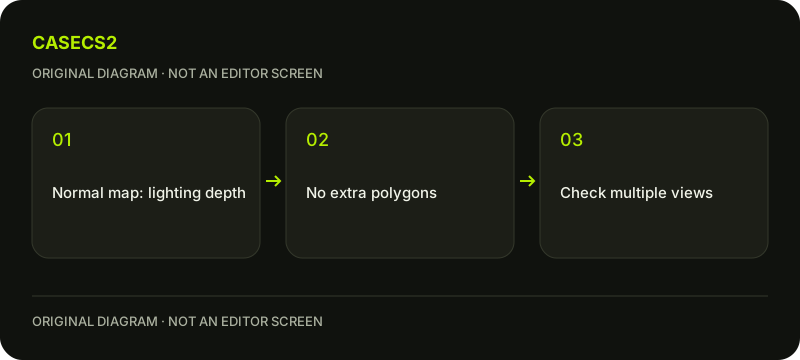
A normal map changes the lighting impression of surface depth without adding polygons. Valve lists support for Patina, Custom Paint and Gunsmith finishes. Use the current supported editor fields to compare the effect, while keeping color, material and wear controlled. Do not describe an apparent groove as new weapon geometry or a changed item property.
CASECS2Updated:
Choose a surface-detail question
Observation
Useful comparison
What it cannot prove
A groove appears under light
Same view with the supported map varied
New mesh geometry
A dark line remains in every view
Color and lighting contributions
Every dark line is depth
An outside edge is unchanged
Silhouette comparison
Collision or damage changed
Imagine an original wood-grain design on a test panel. The question is whether the grain reads as surface relief, not whether an actual named skin was recreated. Keep the illustration conceptual rather than passing it off as an inventory item.
A check diagram, not a game screen.
Understand the lighting illusion
Valve describes normal maps as adding the impression of bumps and depth through lighting without additional polygons. The visible response can therefore change as view or illumination changes, even though the actual model outline remains the same.
A deep-looking mark does not become a physical opening. Do not infer a collision, weapon-stat or silhouette change from a close-up preview. The lighting inspection guide helps organize viewing conditions, but this authoring comparison still needs the actual material inputs recorded alongside the image.
Check support before designing the test
The technical guide lists Patina, Custom Paint and Gunsmith for normal-map support. Start with the supported fields in the current editor for the selected style, rather than inventing a universal switch that every finish must offer.
This page supplies no guessed file format, channel convention, import path or command. The first-finish guide covers general preparation; the current technical documentation governs the specific fields you can use. If a control is unavailable, record that limitation instead of substituting an older engine’s workflow as a confirmed CS2 step.
Separate apparent relief from painted color
Keep a plain, understandable color input while testing the relief. A dark line painted into the image can resemble a groove from one angle without responding like the intended surface detail. Compare the same view and lighting before changing either.
Where the actual editor supports a valid comparison with and without the map, use that controlled difference. Do not claim an imaginary toggle or an observed test on the reader’s machine. Then inspect another view deliberately, noting whether the lighting impression changes in a way consistent with the intended detail.
Keep wear and instance identity outside the test
A normal-map edit in authoring is not an adjustment to an owned weapon’s wear. The float-instance explanation describes the relevant instance evidence, while the variant checklist distinguishes another kind of item information.
Do not read apparent surface depth as a float number or assume an uploaded map modifies a skin already in Steam. A preview is evidence of a design state. Ownership and tradability need their own records, and neither follows automatically from successfully displaying a material experiment.
Record the intended effect and its limits
Keep the style, material state, wear, view and lighting with the comparison. Describe what changed in the surface impression and what remained unchanged in the outline. If only one angle was inspected, leave other views unverified rather than declaring the design complete.
The before-and-after board guide provides a useful way to arrange observations. It does not certify material correctness, selection prospects or price. The completed diagnosis distinguishes color from relief and relief from geometry, without promising that a normal map creates a new model or an accepted game item.
Sources checked on 2 November 2026. Labels and locations can vary by client version and language. Match the described state in your own current interface.
Help
Questions and answers
What you should know before you begin.
Does a normal map add polygons?
No. Valve describes apparent depth through lighting without additional polygons.
Can it change the weapon outline or collision?
Do not attribute mesh, silhouette or collision changes to the normal map.
Does uploading one modify a skin I own?
No. Authoring a material and changing an owned game item are separate matters.