Why a CS2 Competitive Skill Group is missing on one map
Competitive Skill Groups in CS2 are map-specific. If one map has no group, inspect that map’s displayed progress and message before assuming your whole account rank disappeared. Premier’s Counter-Strike Rating and the XP-based Profile Rank are different measures, so their numbers cannot substitute for the missing map-specific result.
CASECS2Updated:
Identify the missing indicator
What is missing
Check this context
Do not substitute
Competitive Skill Group
The selected Competitive map
Another map’s group
Premier rating
Premier’s own display
Competitive map group
Profile progress
XP-based Profile Rank
Either competitive measure
For example, a group shown on one map does not establish that placements are complete on another. Select the map in question and record the message next to it. This first distinction prevents a routine map-specific placement question from becoming an unsupported claim that every rank was reset.
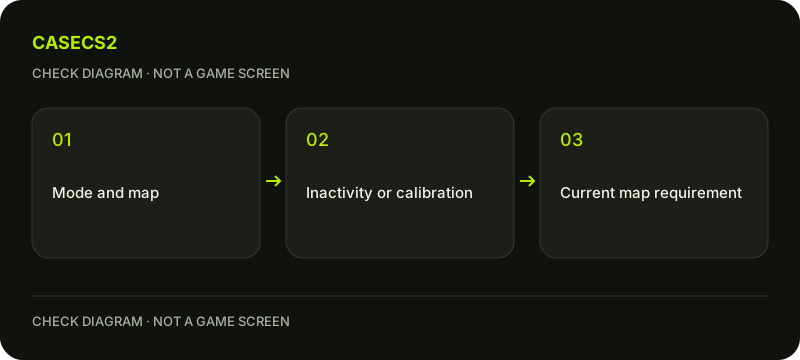
A check diagram, not a game screen.
Read the displayed placement requirement
For an initial group, Steam’s current guidance points to the wins required as shown on the map. Use that displayed requirement rather than repeating a fixed number from an older guide. Record both the map and the progress text so that you can compare the same context later.
Check the actual account in use. The Steam account identity guide helps distinguish an account from a nickname or avatar. Progress from another account or a screenshot of another map is not evidence that this map’s current requirement has been completed.
Distinguish inactivity from first placement
Steam says an existing group can become hidden after extended inactivity. Its guidance describes a Competitive win leading to reassessment and a group being issued again. That is a reassessment, not a promise that the old group returns unchanged.
Do not apply this explanation to every absent rank without checking the actual message. An account still completing initial map placements is a different case. If the screen is unclear, retain the map name, date and wording rather than repeatedly switching modes and losing track of which progress you were investigating.
Keep Prime and Profile Rank in scope
Steam requires Prime for Competitive Skill Groups and Counter-Strike Rating. Check Prime and account eligibility if entitlement is uncertain. Buying a skin or authenticating on a website does not establish that entitlement.
Profile Rank is the XP-based progression used for the Service Medal. Resetting that rank for a medal does not alter your Competitive Skill Group or Prime eligibility. Do not interpret a medal action as a purchase or reset of map-specific matchmaking skill.
Allow for account-level adjustments
Steam explains that permanent cheating bans affecting recent party members can lead to adjustments in wins or the Skill Group. This is not a manual editing service or an exact rating formula that a third-party calculator can reproduce.
If your concern began after an update or an account message, use the official-update checklist to keep dated facts separate from guesses. There is no justified conversion here from a Premier number into a guaranteed Competitive group, nor a fixed number of points that this guide can promise for your next match.
Record the next legitimate check
Your note should identify the map, displayed placement or inactivity message, Prime status if relevant and the last observation date. After the appropriate match result, return to the same map display to inspect the actual change. Do not buy a rank-reset or guaranteed-rank service to resolve a missing indicator.
If something still contradicts the official guidance, prepare limited evidence using the support-report checklist. Keep account secrets out of public screenshots. The useful outcome is knowing which condition is confirmed and which remains unexplained, not inventing a hidden rating from incomplete information.