Claim the 2026 CS2 Service Medal at Profile Rank 40
The 2026 Service Medal becomes available through reaching Global General, Profile Rank 40, and using the medal claim or upgrade action. Valve says this resets your Profile Rank. Check that rank, the year shown and the confirmation together; a Premier rating or Steam profile level is not the same requirement.
CASECS2Updated:
Read the correct progress indicator
What you see
What it describes
Use it for this claim?
CS2 Profile Rank 40
Global General profile progress
Check the medal action
Premier rating
A separate competitive measure
Not the Rank 40 requirement
Steam profile level
Steam account profile progress
Not CS2 Profile Rank
Suppose your competitive rating looks high but the CS2 profile progress has not reached Rank 40. That rating does not establish medal eligibility. Open the profile progress shown inside CS2 and inspect its label, not merely the largest number on screen. Read how to check dated CS2 updates if an older guide uses different interface pictures.
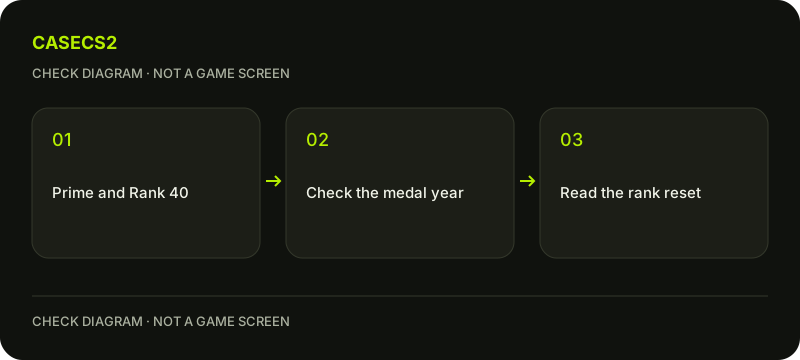
A check diagram, not a game screen.
Check the year before claiming
Valve’s announcement dated 26 December 2025 says the 2026 medal is available starting 1 January 2026. Check that the current claim refers to the year and action you expect. The announcement describes earning or upgrading that medal through a Profile Rank reset.
Do not infer next year’s design, deadlines or eligibility from the current announcement. A screenshot from an earlier annual medal may show a different item. Compare the written year in your own game with the dated official source before making an irreversible progress decision.
Understand the Prime requirement
Steam’s current Prime help states that Prime is required to receive XP and earn a Service Medal. A free account without Prime does not gain this XP merely by choosing another server or mode. Check the actual account you launched, especially when several Steam accounts use the same computer.
A website login does not add Prime to CS2. The Steam login and return checklist helps distinguish an authentication step from a game entitlement. Do not purchase a skin or deposit money on a website expecting that action to unlock a Valve medal.
Read the reset confirmation carefully
Once Profile Rank 40 is reached, inspect the available medal claim or upgrade action. Read what the current confirmation says about the reset before accepting. Valve’s announcement refers to Profile Rank; do not describe it as a promised reset of Premier rating or every other account statistic.
If the option is absent, write down the displayed rank, year and account status. Avoid repeatedly clicking an unrelated button. A clear record of what the interface actually shows is more useful than trying a collection of unofficial console commands.
Keep separate rewards separate
A Service Medal is not a weekly care package or an Armory progress counter. Those screens answer different questions. Start with the progress indicator relevant to your goal rather than treating all rewards as one combined meter.
When recording screenshots, keep private account details out of shared images. The inventory versus Steam status guide also explains why a website record is not proof of an in-game account action. A medal claim should be verified where the claim occurred, inside your own CS2 account.
Use a manageable progress check
After a deliberate claim, inspect the medal entry and the resulting profile progress. Save a private note if you want to compare later upgrades. There is no supported completion-time guarantee here, and a high number of matches does not substitute for the displayed requirement.
Play normally rather than using farming scripts or paid boosting promises. For unrelated cosmetic planning, the inventory builder can organize a set independently of medal progress. It does not earn XP, reset ranks or claim account rewards on your behalf.