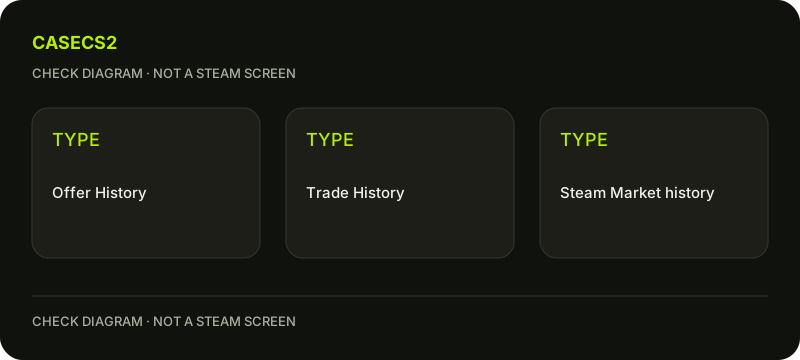
Trade History, Offer History and Market history answer different questions
Use Trade History for completed exchanges, the trade-offer area for proposals and their recorded states, and Market history for purchases or sales on the Community Market. An archived offer is not automatically evidence that its items moved. Identify the account, counterpart and item direction before treating any history entry as a receipt for another type of operation.
CASECS2Updated:
Choose the record for the event
Question
Relevant record
Not interchangeable with
Did an exchange complete?
Trade History
An archived inactive proposal
What happened to a proposal?
Trade Offers or Offer History
A Market sale receipt
Was an item bought or sold on Market?
Market transaction history
A separate website deposit
Imagine a rifle appearing in an old proposal while a later sale is recorded on Market. The proposal describes one intended exchange; the sale describes a different executed operation. Combining their names into one “history item” would lose the distinction you need to explain the rifle’s status.
A check diagram, not a game screen.
Locate completed exchanges through Steam
Steam’s trade-offer help describes access to Trade History from the Trade Offers page or the inventory’s additional menu. Follow the current function rather than a fixed screenshot position. Confirm that the record concerns your own account and the intended exchange.
A website’s inventory-status page is another source, not a replacement for Steam’s record. Likewise, a familiar counterparty nickname is not enough to establish identity. The SteamID checklist explains that independent account question before you compare the item movement.
Read proposals under their actual state
Pending proposals belong in the trade-offer workflow, while Steam says inactive proposals move automatically to Offer History. Their presence there establishes a recorded offer state, not necessarily acceptance or completed movement.
Use the pending-versus-accepted guide when the distinction is unclear. Preserve cancellation or expiry wording as well rather than merging all archived records. A list can contain several proposals for one instance, so count actual inventory separately instead of interpreting every historical appearance as another item or another completed delivery.
Keep Market transactions in their own history
Steam’s Market FAQ points to history near the top of the Market home page and through account details. It also describes email receipts, which should corroborate the official account record rather than replace it.
The Market-history guide explains how to reconcile that transaction type. An email alone is not a reason to trust an unfamiliar login link. Do not use a Market receipt to confirm an external cash deposit or an unrelated item exchange merely because all records mention Steam or the same skin name.
Match the fields without inventing missing ones
For the chosen event, compare the full item identity and variant, quantity where shown, counterpart and direction of movement. Retain the timestamp with whatever timezone context is actually displayed; do not label every interface time UTC by assumption.
If the specific operation is a CS2 protected trade, read the Trade Protection guide separately. A generic old statement about all trades being final should not override current applicable protection conditions. Conversely, an archived proposal does not become a reversible completed trade merely because the item belongs to CS2.
Write one reconciled conclusion
State which history type answers the original question and which fields match. If no completed operation is established, retain that limitation. Do not create a second exchange, purchase or deposit to generate a more convenient record for comparison.
A useful private note can say: proposal state confirmed, completed trade not established, Market entry checked separately. Use the history views Steam actually provides, keeping the record type and observed status with your note. The goal is selecting evidence that matches the event, not flattening every timeline into a single receipt or assuming every missing field can be reconstructed from a thumbnail.
Sources checked on 2 November 2026. Labels and locations can vary by client version and language. Match the described state in your own current interface.
Help
Questions and answers
What you should know before you begin.
Does Offer History prove a completed trade?
Not by itself. Read the recorded proposal state and check Trade History for completed movement.
Is Market history the same as trade history?
No. Purchases and sales on Market are a separate transaction type.
Can I label every displayed time UTC?
No. Preserve the actual timestamp context and leave an unstated timezone unknown.