Cancel your active Steam Market sell listing before it is purchased
Steam lets you remove your own active Community Market sell listing before another user purchases it. Find the current listings on the Market home page and confirm the exact item before choosing Remove. A listing that has already sold is a completed transaction, not an active listing that can still be cancelled.
CASECS2Updated:
Identify which record you have
Record
What it describes
Appropriate check
Active sell listing
Your item offered on the Market
Whether Remove remains available
Buy order
Your request to purchase
The order’s own status
Completed sale
A transaction already executed
Market history and receipt
For example, an item disappearing from current listings does not alone prove a cancellation. It might have sold. Start with the state rather than repeating the removal action on another similar entry. The buy-order guide concerns the opposite side of the Market and should not be used as a sell-listing instruction.
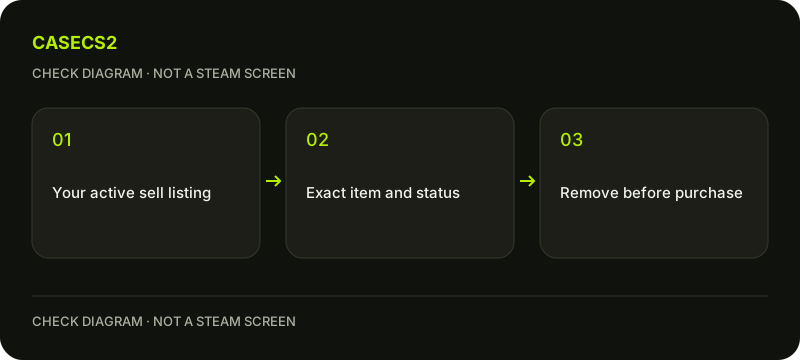
A check diagram, not a game screen.
Find your own current listings
Open the official Steam Community Market while signed into the intended account. Steam’s FAQ places your current listings near the top of the Market home page. Confirm that you are looking at your own listings, not another seller’s offer or a general item page.
A familiar display name or avatar is not sufficient account identification. Use the account identity checklist if several accounts use the device. Do not follow an unsolicited message claiming that a separate login or item transfer is required to remove a listing.
Match the exact item before removal
Check the full name, variant and quantity where shown. If several entries look similar, inspect each record deliberately instead of choosing by thumbnail alone. The localized item-name guide explains why model, finish and special variant belong in the comparison.
Record the listing’s current state before acting. You are checking whether this specific offer remains active. This page does not automate selling, cancel somebody else’s offer or recommend immediately relisting the item. A clear scope prevents a simple cancellation question from becoming another transaction you did not intend.
Remove once and inspect the result
While the listing remains active and unpurchased, use its Remove action and read the current confirmation. After the action, inspect the result rather than assuming that clicking a button proves the item’s next state.
Check your current listings, inventory and relevant history if needed. Do not promise an exact instant at which every view will update. If the listing is already gone when you act, stop and determine whether it was removed or sold. Repeating actions on a different record does not resolve the uncertainty about the first one.
Do not confuse cancellation with reversal
Steam’s Market FAQ states that completed Market transactions are final. Removing an unpurchased listing is not a right to reverse a completed sale. Keep that condition with any advice about cancellation.
The Trade Protection guide concerns a different item-transfer system and must not be presented as a Market-purchase refund mechanism. Likewise, the inventory-status explanation helps distinguish website records from Steam states. A record on another service does not establish what happened to this Market listing.
Keep a narrow reconciliation note
Your useful result is one of three statements: the chosen listing remains active, its removal is confirmed, or history shows a completed transaction. Retain the item identity and actual observation date rather than filling a missing status with a guess.
If assistance is needed, follow the support-evidence checklist. Preserve the relevant message while excluding private account details. There is no need to create a trade, deposit funds or buy another item to test whether a listing was cancelled. Read the existing records first.
Sources checked on 2 November 2026. Labels and locations can vary by client version and language. Match the described state in your own current interface.
Help
Questions and answers
What you should know before you begin.
Can I cancel after someone has purchased it?
Removal concerns an active listing before purchase. Steam describes completed Market transactions as final.
Is cancelling a buy order the same action?
No. Buy orders and your sell listings are separate records with their own controls.
Does a missing listing prove successful removal?
No. Check inventory and Market history to distinguish removal from a completed sale.