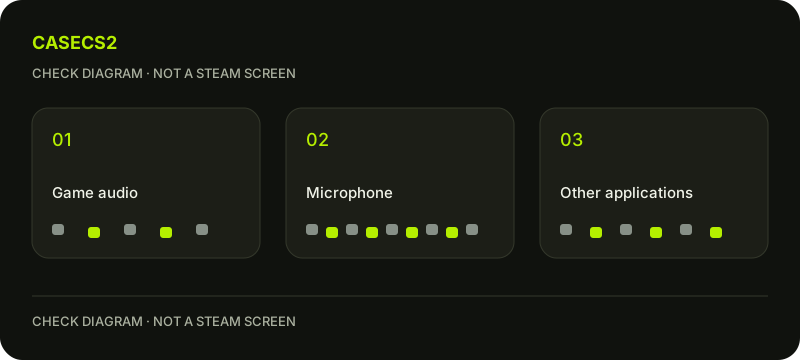
CS2 recording audio: isolate the source before changing everything
When game sound is present but voice is missing or unexpected audio appears, name the source before hunting for a universal fix. Steam lets users choose recorded audio and can include other applications. Build a short check around your own harmless sounds, so you can tell whether the problem concerns the game, your input or an application you did not intend to include.
CASECS2Updated:
Make a source matrix
Source
Your harmless check
What to note
Game audio
A sound you intentionally produce
Present or absent
Your voice
A brief neutral phrase you speak
Present, absent or unexpected level
Other application
Your own non-sensitive sound if relevant
Intended inclusion or unwanted audio
Do not use a private conversation as test material. Keep the first check short and under your control. The table identifies observations, not operating-system paths or a guaranteed repair.
A check diagram, not a game screen.
Describe the symptom without collapsing sources
Write exactly what you heard in the resulting material: game audio present, own voice absent, for example. “The recording has no sound” would hide an important distinction in that situation. If you hear unexpected speech, stop treating the material as a harmless test and review its privacy implications.
The microphone troubleshooting guide provides related context. Keep the question of an input being usable separate from which source the recording is configured to include.
Review the intended source choices
Inspect your current recording audio choices and compare them with the matrix. Do not assume the client has identical labels to a screenshot from another version. If you cannot identify a choice, note the uncertainty rather than changing several unrelated settings.
Keep other applications quiet unless you deliberately need a harmless sound from one. This makes an unexpected source easier to identify and reduces the risk of capturing personal notifications or conversation during a later review.
Change one decision and repeat the same question
If the source choice appears inconsistent with the plan, adjust only the relevant choice and use the same neutral self-test. Compare whether the missing source appeared or the unwanted source remained. Avoid changing input devices, recording options and several application settings at once.
The MP4 export guide concerns a later output stage. If you compare a recording with an exported copy, identify which one you listened to so that the symptom is tied to the actual material.
Listen before involving an audience
Review the short result privately and check that it contains only the intended test material. Do not infer success from a moving indicator alone. Conversely, an absent voice in one result does not prove every voice application or game setting is broken.
The communication penalty guide addresses a separate game communication question. Keep that distinction visible: a recording-source problem and an in-game communication restriction are different observations and need not share a cause.
Keep a precise support note if unresolved
Write the source you intended, the source you heard and the single change you tried. Include whether the observation came from the original recording or an exported file. This narrow note is more useful than a long list of unexplained changes.
Follow support evidence without secrets when preparing material, and use the screenshot guide only for an appropriate visible question. Do not share sensitive audio as proof. An unresolved source remains a reason to pause sharing, not to capture other people without their knowledge.