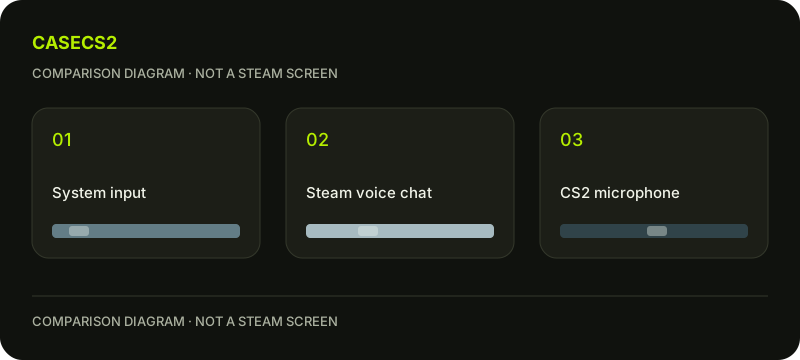
Steam voice works but CS2 microphone differs: separate the audio paths
Treat the working Steam voice result as one useful observation, not a universal microphone verdict. Friends Chat voice settings configure devices, with working default system devices as a prerequisite. For your own neutral phrase, keep the system input, Steam voice task and CS2 communication task separate. This makes a difference between them describable without immediately installing drivers or changing every audio choice.
CASECS2Updated:
Make a three-path note
Path
What you know
What remains separate
System device
Is the intended default device usable?
Application selection
Steam voice
What result did you actually observe?
CS2 communication
CS2 voice
What is the specific symptom?
Recording inclusion
Use your own harmless phrase if an appropriate self-check is available. Do not record another person or start an unsolicited call to complete the table. A path can remain unconfirmed until you have a suitable authorised observation.
A check diagram, not a game screen.
State the difference precisely
Write “Steam voice has a confirmed result, CS2 input remains unclear” rather than “the microphone definitely works everywhere.” Also distinguish an input problem from not hearing somebody else. These describe opposite directions of the audio task.
The CS2 microphone guide addresses the game-side question. Use the actual symptom as the starting point. A prior successful Steam conversation is context, not proof that the game must be using the same input in the same way.
Identify the intended device without guessing paths
Name the microphone you intend to use in your private notes and review the relevant current choices. If a device changed since the earlier working observation, record that difference. Do not follow an operating-system path from memory as if it applied to every setup.
Keep output devices separate from the input choice. Hearing a sound through your headphones does not establish that the intended microphone is selected. This simple distinction prevents a large set of unrelated playback changes from being mislabelled as an input test.
Keep communication state separate from input evidence
If the question is that another participant cannot hear you, describe what is actually known about the task rather than secretly recording their response. A private self-check and a communication exchange are different observations with different privacy boundaries.
The communication penalty guide addresses another possible game communication context. Do not infer a penalty merely from a missing voice result. Keep restrictions and device questions separate until the available evidence connects them.
Do not use a recording as a substitute for the game task
A video containing your voice proves something about that recording, not automatically about what other participants can hear in the game. The recording audio-source guide helps distinguish that separate path.
Change one relevant choice before interpreting a new result. If several devices and application settings changed together, label the comparison limited. Do not claim a guaranteed fix from a single observation or install unfamiliar software merely to avoid leaving a question open.
Prepare a path-specific next question
Finish with the intended input, confirmed task and unresolved task. Include any meaningful change since the working observation and one specific comparison you can explain. Keep the result narrow enough that another person does not mistake it for proof about every voice application.
For help, prepare evidence without secrets, without private conversations or account information. The worksheet performs no calls, recordings or driver installations. Its useful outcome is a clear distinction between system, Steam voice and game observations, with a next step tied to the path that remains uncertain.