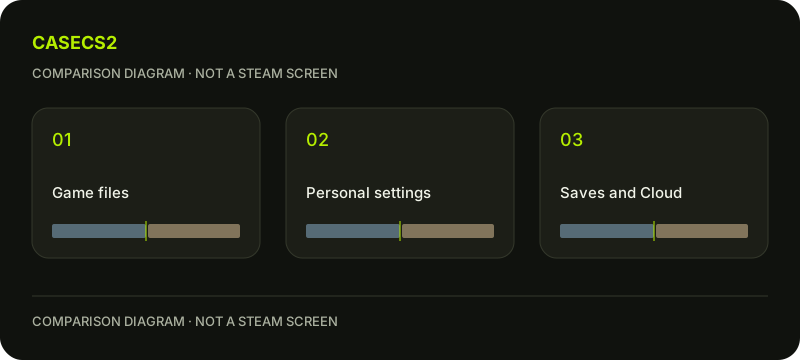
Steam LAN transfer is not Cloud sync: separate content from personal data
Make a category list before expecting another computer to reproduce your personal setup. Steam local transfer covers original game content rather than personal saves, configuration, Workshop, Steam Cloud or shader files. That boundary matters even when the game installation task looks successful. Personal data and account access require their own questions; they should not be marked complete merely because content arrived.
CASECS2Updated:
Create a content-and-personal-data list
Category
Question for the other PC
Not established by delivery
Original game content
What installation state is actually present?
Personal preferences
Personal material
What do you actually need to verify?
Universal Cloud coverage
Account access
Which authorised account will use it?
Ownership from copied content
Use your own legitimate setup as the example. The worksheet does not copy personal files, resolve a Cloud conflict or grant another account access. Its purpose is to stop those different tasks from being collapsed into one installation verdict.
A check diagram, not a game screen.
Name the personal outcome you expect
Write whether you want a familiar input setup, a particular saved state or simply the ability to open the intended game under your own account. These are different expectations. Do not describe them all as “the transfer worked” or “the transfer failed.”
Identify only what you actually need for the next task. Avoid gathering every configuration directory in a manual copying exercise. The purpose is a verification plan, not an instruction to move unknown files or assume that every CS2 setting has the same storage behaviour.
Treat Cloud as a separate state question
If a Cloud-related question appears, record its actual message and relevant context. Do not assume that the newest-looking copy is automatically the right one or that every desired personal item is covered. Keep uncertainty explicit until the relevant information is understood.
The Cloud conflict choice guide addresses that distinct decision. A local network delivery result does not answer it. Do not replace a personal copy simply to make the installation worksheet look complete.
Keep Workshop content in its own category
If your intended task depends on Workshop material, identify that requirement separately from the base installation. The Workshop map guide gives context for that different task. Do not infer the state of a subscribed or personal component from an ordinary game-content transfer.
Likewise, avoid declaring all missing personal choices a transfer defect. The category boundary explains why a complete game-content task and an unfinished personal setup can coexist without contradiction. Record the remaining requirement rather than forcing both into one success label.
Distinguish installed files from account rights
Write which authorised account is intended to use the receiving computer and what access is actually known. A visible installation does not by itself demonstrate entitlement, bypass an account condition or change regional restrictions. Do not borrow another person’s credentials to settle the question.
Keep installation content, required personal material and authorised account access as separate conclusions. Mark each confirmed, unresolved or not needed according to actual observations. This leaves a useful next task without pretending the second computer must already be identical to the first.
The worksheet performs no manual copies or secret access and promises no universal synchronisation. Its outcome is an honest map of what a delivery result can support and what still needs its own verification. A successful content task can remain successful while the personal setup is deliberately unfinished.