Steam download pauses when CS2 starts: identify the session boundary
A pause near game launch is a clue about the session boundary, not proof that installation files are broken. Steam automatically pauses downloads when a game launches to prioritise game networking, with settings that can allow downloading during play. Keep that official behaviour separate from the claim that every pause must have this cause. Your own task still needs an actual before, during and after observation.
CASECS2Updated:
Write a three-stage observation sheet
Stage
What to establish
Question
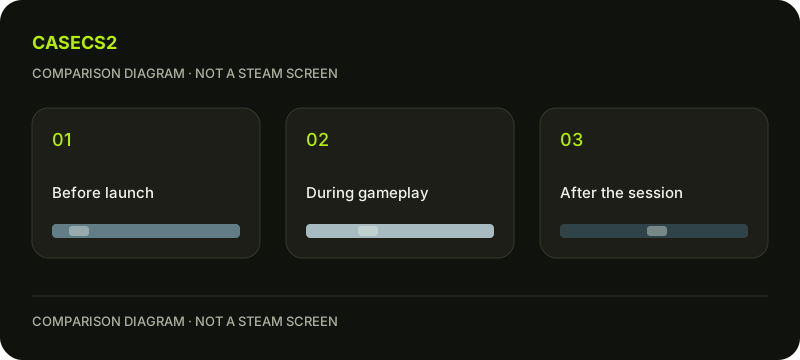
Before launch
Actual task state
Was delivery active?
During gameplay
State shown for that task
What changed at the boundary?
After the session
Current task state
Is the earlier interpretation still supported?
Use the same identifiable download task throughout. This is a planning example, not a claim that a game was launched or a pause reproduced. Avoid describing a remembered pattern as a completed test.
A check diagram, not a game screen.
Identify the task before blaming the pause
Write which game or update task you mean and what the client actually shows. If it was already waiting before CS2 started, the game boundary may not explain the whole situation. A pause should be tied to a known state rather than an impression that something ought to be moving.
The queued update and schedule guide covers a different state question. Keep an existing scheduled wait separate from an observed change around gameplay. This prevents two unrelated client behaviours from being merged into one apparent fault.
Review your intended download-during-play choice
Decide whether your goal is uninterrupted play, completing a download or simply understanding the current behaviour. Examine the relevant choice in your own current client without assuming an old image’s exact menu position. Record the intention and what you actually identify.
Do not change the setting merely to force an expected result into the worksheet. A state consistent with your purpose may need no correction. The useful outcome is knowing why the task behaves as it does, not making every delivery task remain active at all times.
Keep the after-session observation real
Return to the identified task after the relevant session and describe its current state. Do not guarantee that every task resumes in every circumstance. If it is still waiting or shows another message, preserve that observation and investigate the appropriate next question.
The app already running guide concerns an uncertain game-session state. If you cannot tell whether the game has actually ended, clarify that separately before calling the after-session row complete. Window appearance alone may not answer your entire task.
Avoid a repair routine without a fault
Do not restart, clear caches or delete folders simply because you noticed a pause at launch. First establish whether the observed state fits the intended behaviour and whether another error is actually present. A client preference question is not evidence of damaged game content.
If there is a specific disk-write error, the update disk-write guide addresses that distinct symptom. If your concern is only a confusing rate display, use the download units explanation instead of treating the number as proof of corruption.
Close with the supported boundary finding
Write whether delivery was active before launch, what was observed during play and what remains known afterward. If any stage is missing, leave the conclusion limited. You can recognise a plausible intended pause without claiming every future pause is explained.
No destructive cleanup, network-security change or performance promise is part of this worksheet. Its result is a session-specific account of the download state and a next question only when the actual evidence requires one. An understood intentional pause does not need to be repaired merely because the progress display temporarily stops.