Leave the Steam PC client beta for a controlled CS2 comparison
If the desktop Steam client is already enrolled in a beta, returning to the ordinary client channel can be one controlled comparison for a CS2 problem. Record the current channel and symptom, save work, change only that client setting and complete the requested restart. This is not the same operation as choosing a CS2 game branch.
CASECS2Updated:
Identify which beta you are discussing
Setting or device
Scope
Not the same as
Desktop client beta participation
Steam PC client channel
CS2’s game branch
Game Properties Betas
A particular game’s branch
The whole desktop client
SteamOS update channel
Another device and update workflow
This PC-client procedure
For example, an empty game Betas selection does not prove that the Steam client itself is on the ordinary channel. Start with the client setting relevant to the symptom, and avoid following a Steam Deck update tutorial for a desktop PC task.
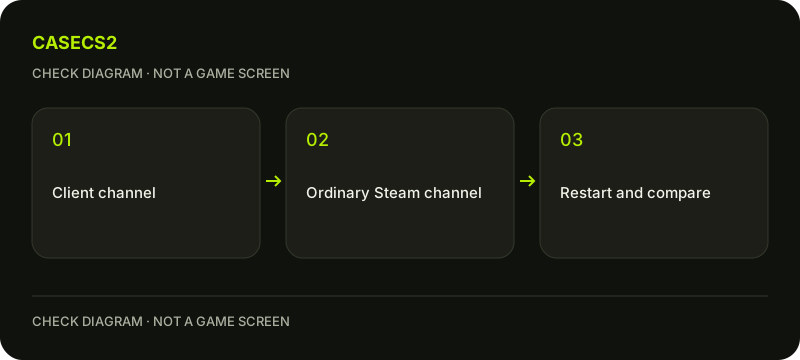
A check diagram, not a game screen.
Record the current channel and symptom
Open the desktop client’s Steam Settings and inspect Interface for Client Beta Participation or the equivalent current control. Read the selected channel before changing it. If the client version is visible, retain that observation without inventing a latest-build number.
Write down one CS2 symptom and how to reproduce it. The update-review checklist helps distinguish a dated client change from an assumption about the game. If you are not enrolled in a client beta, do not opt in merely because this comparison exists; there is no requirement here to unlock a mode or reward.
Prepare for the client restart
Save work, close games normally and allow active download writes to finish before changing channels. Do not interrupt an update in progress to obtain a quicker test. The point is to isolate a client-channel difference, not create a new installation problem.
Keep legitimate account access available and do not assume a universal promise about login-session preservation. Use the genuine Steam login checklist if an unexpected repair page requests credentials. Changing a client channel is a Steam setting, not a reason to give another person remote access or authentication codes.
Choose the ordinary client channel
For an already participating desktop client, select the current no-beta or ordinary-channel choice in the client participation control. Steam’s instructions describe confirming the restart when prompted. Follow the actual localized label rather than expecting one phrase on every client version.
Complete the required restart and allow any client update to finish. Do not also change CS2’s game Betas tab, delete settings or reinstall Steam during the same comparison. Those extra changes would make it harder to identify which condition affected the original symptom.
Repeat the same CS2 scenario once
Launch CS2 from the same Library entry and repeat the previously recorded scenario. Note whether the exact problem remains, changes or disappears. A successful menu launch is useful evidence for that test, not a guarantee of stability in every match or hardware configuration.
If the issue concerns a local installation, the file verification guide addresses another question. If it concerns copied startup settings, use the launch-options guide separately. Avoid turning an isolated client-channel comparison into a bundle of unrelated configuration changes.
Keep the conclusion and limitations together
Your record should identify the old channel, new channel, restart completion and observed CS2 result. If nothing improved, keep that result rather than declaring the channel change a fix. Do not promise FPS gains, removed bans or a bypass of game security.
For unresolved symptoms, follow the support-evidence checklist and share the relevant observation only. Returning to the ordinary Steam client is not a downgrade procedure for CS2 itself and does not change Prime ownership. It is one bounded test whose value depends on preserving the original symptom and comparing the same conditions.
Sources checked on 2 November 2026. Labels and locations can vary by client version and language. Match the described action in your own current installation.
Help
Questions and answers
What you should know before you begin.
Is this the CS2 game Betas tab?
No. This procedure changes the desktop Steam client’s beta participation.
Should every player join beta first?
No. The comparison is for an already participating client, not a required unlock step.
Does leaving beta guarantee a fix?
No. Record the actual result of the same CS2 scenario after the restart.