CS2 music kits: preview, equip and check the MVP anthem
A CS2 music kit changes the game’s music presentation, including its MVP anthem. Previewing a kit, equipping it and hearing it at your own audio settings are three separate checks. Start with the kit’s in-game entry and preview rather than assuming that a clip on a webpage represents every part you will hear.
CASECS2Updated:
What changes when you choose a kit?
Valve introduced music kits as a way to replace the game’s music and share an MVP anthem when you are the MVP. That makes a kit different from a weapon finish: the relevant comparison is what you hear and when, not how a rifle looks in an inventory grid.
Check
What it tells you
What it does not establish
Preview clip
Sound of that excerpt
Every cue in the kit
Equipped status
Your selected kit
Another player’s volume setting
MVP anthem
MVP presentation
A weapon kill counter
Audio controls
Local listening level
Identical playback for everyone
The item-types guide separates a music item from a weapon, container or sticker.
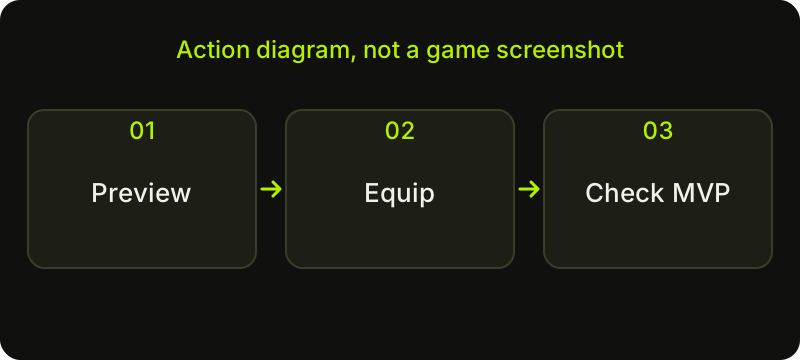
Check sequence: a diagram, not a game screenshot.
Listen before committing to a choice
Open the kit’s actual game or Steam entry and confirm its name. Use the available preview controls and listen to the cues that matter to you. A short highlight can make a kit appealing without showing how its other excerpts feel after repeated listening.
Try a two-candidate comparison: listen to a menu excerpt from each, then their MVP excerpts, then repeat at a comfortable volume. Write one sentence about each choice rather than treating loudness as quality. Avoid opening multiple clips at once, which makes it difficult to identify the source. Use the official preview to hear the music instead of relying on an unlabelled recording.
Equip the owned item, then verify it
Check that the music kit belongs to the Steam account you are using in CS2. Locate the item in the game’s Inventory or its equipment interface and use the available equip action. Afterwards, look for the game’s indication that this is the selected kit. Merely opening a preview is not the same operation.
If your collection contains similar entries, compare their complete names before assigning one. An entry on an external list is not proof of ownership. The account and inventory distinction explains that boundary; the equipment guide provides the same ownership-first approach for weapon cosmetics.
Diagnose a missing or quiet anthem
Check the source before changing several settings. Is the intended kit actually equipped? Did the moment you were watching trigger an MVP presentation? Is the sound from the current game rather than a separate video or stream? These questions can explain a mismatch without assuming that the item failed.
Next inspect the music and relevant event-volume controls currently offered by CS2. Read their labels, change one setting at a time and keep general listening volume comfortable. Other players can use different personal settings, so your local test cannot establish that every teammate heard precisely the same volume. Record the exact context if you need to reproduce the issue.
Keep StatTrak and gameplay claims precise
Some music-kit entries carry a StatTrak designation. Do not interpret this as the kill counter on a StatTrak weapon. Check the description of the exact music-kit entry and the game’s displayed counter before drawing conclusions about what it measures. This guide does not guess which match types or exceptional situations qualify for a count.
The StatTrak variant checklist explains why the prefix belongs in an item’s identity. It does not make two item categories behave alike. Similarly, a music kit does not improve aim, weapon damage or competitive rating. Choose it because you enjoy the sound and presentation, not because of a promised performance benefit.
Keep a useful listening shortlist
A practical shortlist contains the kit name, the official entry you checked, the excerpts you heard and a note such as “calm menu cue” or “MVP excerpt becomes tiring on repeat.” Those are personal observations, not facts about every player’s preference.
If price matters to your choice, check the exact kit’s current listing separately. Audition music in the game: the CaseCS2 inventory builder is for planning skin selections and does not offer music-kit previews. When a preview, equipment state or setting differs from an older guide, check the current client and official notes. Finish by verifying one intended kit and one clear listening setup rather than collecting more clips indefinitely.
Sources checked on 2 November 2026. Historical announcements explain the introduced mechanics; check the current CS2 and Steam interface for available actions and your item’s status.
Help
Questions and answers
What you should know before you begin.
Does previewing a music kit equip it?
No. Preview playback and the equip action are separate. Check the game’s selected-kit state afterwards.
Does a StatTrak music kit count weapon kills?
Do not read its counter as a StatTrak weapon counter. Check the exact music-kit description; this guide does not assert unverified counting exceptions.
Why can another player hear the anthem differently?
Personal audio settings and listening conditions can differ. Your own playback test does not establish identical volume for every teammate.