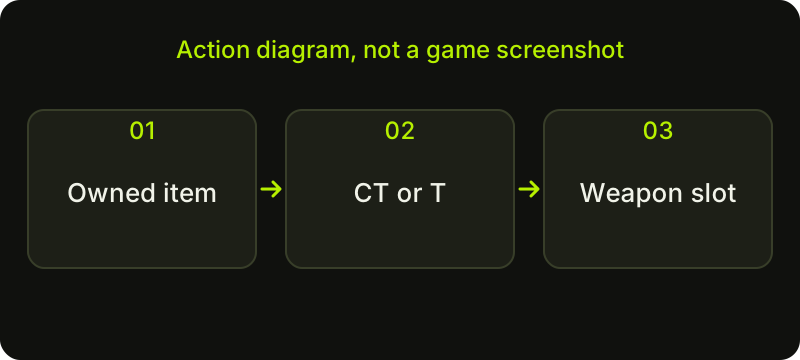
To use a skin in CS2, confirm that the item is in the Steam inventory used by the game, select the appropriate weapon and team in Loadout, then assign the owned finish. A skin visible in a website list or planning tool is not automatically equipped. Weapon availability and cosmetic selection are separate checks.
CASECS2Updated:
Three checks before changing anything
The word “loadout” can mean a plan on a webpage or the weapons selected inside CS2. Only the game’s own equipment controls change your in-game selection. Use this sequence to avoid diagnosing a cosmetic issue when the wrong weapon or account is selected.
Open the game’s Loadout area and check which team you are editing. Some weapons belong to a particular side, so a correct-looking change on one team does not establish what you will see on the other. Select the intended weapon category and examine the slots already in use.
Valve’s June 2023 loadout announcement described a starting pistol plus four additional pistols, five mid-tier weapons and five rifles per side. Its later October 2025 note explicitly mentions that CT loadouts can include both M4A1-S and M4A4. Use the current game interface as the authority for which choices it lets you place in each slot.
Assign the finish to the matching weapon
Find the owned item in Inventory or the finish choices associated with the selected weapon. Check the full base name: an M4A1-S finish is not an M4A4 finish, and a similar design on a different weapon is not an interchangeable item. Follow the game’s equip or assignment action for the intended side.
Read the resulting state rather than relying only on a thumbnail animation. If a menu asks you to replace a weapon selection, check that separately from the cosmetic choice. Interface labels and layout can change, which is why this procedure uses the names of tasks rather than a claim that a particular button always sits in one corner.
Verify the selection without changing everything
Review the chosen team, weapon and finish together. If you want a gameplay check, use an appropriate practice setting where the weapon is available and verify what is actually displayed. Keep the rest of the loadout stable while investigating a single mismatch.
For example, if your desired M4 finish is absent, first verify which M4 you selected. Replacing every rifle slot introduces more variables and can obscure the original problem. For planning rather than equipment changes, the weapon-role loadout guide helps you decide which positions matter before opening the game’s controls.
What a planning tool can and cannot do
The inventory builder is for organising the choices supported by its current catalogue. It does not equip an item in Steam, transfer ownership or read every item from your account. Treat its saved selection as a plan you can consult alongside CS2.
A plan can still be useful: write down the team, weapon and intended finish for each change. Mark owned items separately from ideas you have not acquired. If you have a shared weapon choice across your plans, do not assume that one webpage action applies it to both teams. Make and verify each actual in-game selection.
If the expected skin still does not appear
Stop at the first failed check. If the item is not in the game’s inventory, revisit ownership and account identity. If the weapon is unavailable in the current context, read the game’s notice rather than trying to force a slot change. If the item or action has a restriction, follow that restriction and its stated conditions.
Keep a short note of the account, team, weapon and action you checked, without posting credentials or private links. A CT/T plan can prevent the same confusion next time. Finally, judge cosmetic choices as appearance choices: a finish does not grant a different accuracy or damage value to its weapon.
Sources checked on 2 November 2026. Historical announcements explain the introduced mechanics; check the current CS2 and Steam interface for available actions and your item’s status.
Help
Questions and answers
What you should know before you begin.
Can I equip a skin from a CaseCS2 planning page?
No. The planning page organises choices. Equipment changes happen through the game’s own controls after checking actual ownership.
Can CT use both M4A1-S and M4A4 in the loadout?
Valve’s cited October 2025 note explicitly refers to CT loadouts containing both. Check the current game’s slots and assign the intended finish to the correct M4.
Why does my skin show on only one team?
Check which team you edited and whether that weapon is available for the other side. Verify the actual equipped state for each relevant selection.