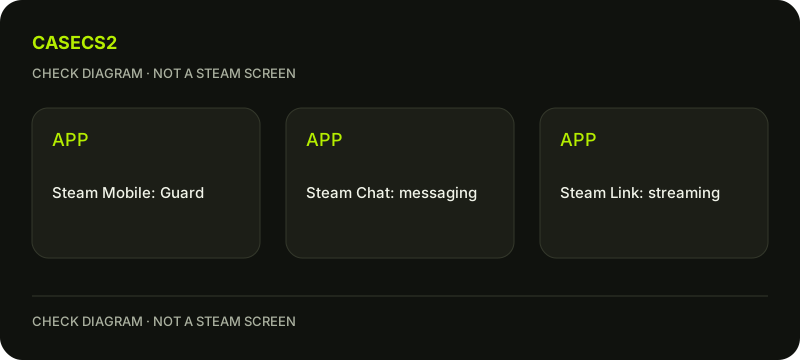
Steam Mobile, Steam Chat and Steam Link: choose the app for the task
Steam’s phone apps have different purposes. Steam Mobile includes Guard sign-in and confirmation features; Steam Chat focuses on friends and messaging; Steam Link streams games from a computer. Identify the task before selecting an app, and do not treat an ordinary chat message as an authentication request or an unfamiliar approval as something you must accept.
CASECS2Updated:
Match the app to the intended task
Task
Relevant app role
Not a substitute
Guard login or operation confirmation
Steam Mobile
A friend’s chat message
Friends and group messages
Steam Chat
Authenticator access
Streaming from a computer
Steam Link
A new account entitlement
For example, being able to message a friend on a phone does not establish that the same app contains the account’s Guard setup. Start with the task rather than the presence of a familiar Steam icon. These distinctions explain roles without claiming that every platform and client exposes identical features.
A check diagram, not a game screen.
Find the official app information
Use Steam’s official mobile landing page and its store links instead of a guessed download address or an APK mirror supplied in a message. Read the app name and purpose carefully before deciding which one you need.
Check current compatibility and availability on the official linked store page for your device. A look-alike icon or an old screenshot is not enough to identify the relevant current application. The genuine Steam login guide helps retain the same verification habit when an app opens an authentication destination.
Understand Steam Mobile’s sensitive actions
Steam Mobile’s documented roles include Guard QR sign-in and login approvals, trade or Market confirmations, notifications and other account features. Those sensitive actions deserve a check of the exact account and operation before any approval.
Only approve a request you initiated and verified. The QR-login guidance explains why an unexpected request should not become a test. A helper does not need you to approve their session to explain the apps. If the account or requested action differs from what you intended, stop before approving it.
Keep messaging separate from authentication
Steam Chat serves friends, groups and messaging. A message claiming to be support is not transformed into an official account action because it arrives inside a Steam-associated application. Read the request’s actual purpose and source.
The chat-filter guide concerns text-display preferences, not authenticator replacement. Likewise, communication penalties have their own rules. Installing or opening a chat app does not remove a restriction, recreate Guard access or establish that an account security step has completed.
Treat streaming and notifications as separate observations
Steam Link’s role is streaming games from a computer. It is not the account’s universal confirmation interface and does not by itself grant Prime or change ownership. Do not remove another Steam app or delete an authenticator simply because one phone app can perform another useful task.
A notification is also not a completed operation receipt. For item decisions, follow the mobile trade-confirmation guide. CaseCS2 push notifications and bonuses belong to another service; they must not be described as Steam Guard confirmations or a guarantee that a transfer was accepted.
Record the role you actually need
A useful note identifies the task, the official app relevant to it and the factor or operation still requiring verification. If access is unavailable, use the lost-authenticator guide for its narrower context rather than reinstalling or deleting apps speculatively.
No outside message, payment or remote helper is required to understand this app map. Keep sensitive prompts private and leave untested features unknown. The completed task is selecting the correct official application and understanding its boundary, not approving every incoming notification or claiming that all account and game functions now work.
Sources checked on 2 November 2026. Labels and locations can vary by client version and language. Match the described state in your own current interface.
Help
Questions and answers
What you should know before you begin.
Does Steam Chat replace Steam Guard?
Do not treat the messaging app as a replacement for Steam Mobile’s authentication role.
Does a notification prove delivery completed?
No. Read the actual operation record and confirmation state separately.
Should I approve an unexpected login to test the app?
No. Approval should correspond only to your own verified initiated request.