Configure Steam chat filtering without confusing it with mute or reports
Steam’s chat-filter preferences control supported text-filtering behavior, including the chosen scope, friend-message treatment and custom word choices. Read your current settings rather than assuming an old default still applies. Filtering is not a voice-processing guarantee, a block action or a way to remove an account communication penalty.
CASECS2Updated:
Choose the communication task first
Goal
Relevant control
What it does not establish
Filter supported text
Chat-filter preferences
Every voice conversation is filtered
Stop a person’s communication
Applicable mute or block control
An account penalty was removed
Report abuse
The relevant reporting workflow
An instant guaranteed punishment
For example, seeing your own original text does not prove that a recipient saw it unfiltered. Steam explains that the sender’s own message remains visible in its original form. Do not send repeated test messages to friends merely to investigate that distinction.
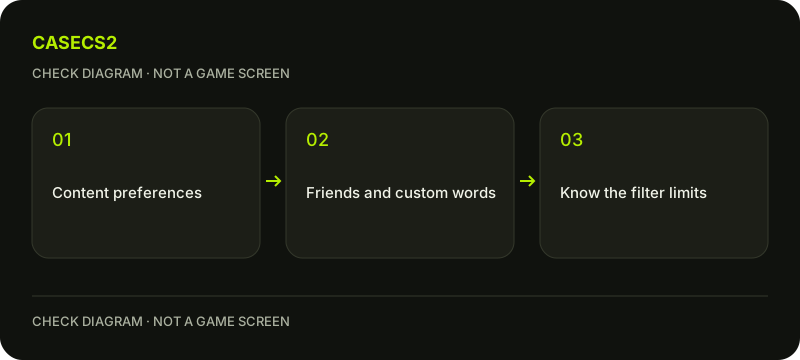
A check diagram, not a game screen.
Open the account content preferences
Use the account preferences and Community Content Preferences area for Steam’s text-filter settings. Locate the current filtering choices by function rather than copying coordinates from a different client version or language. Record the current selection before changing it.
Steam’s official 2020 introduction described friend messages as unfiltered by default at that time. That dated announcement is not proof of your current account’s setting. Use the update-review approach to distinguish a feature’s introduction from the preferences actually selected today.
Inspect scope and friend treatment
Review the available choices for filtering profanity or slurs and whether friend messages are included. Choose deliberately based on the current preference description. A friend’s status and the content category are separate variables in understanding what the setting is intended to do.
Do not assume that every CS2 screen or every game implements the same filter merely because Steam offers it. The documented scope includes Steam Chat and supporting games. A text-filter preference also does not promise transcription or filtering of all voice audio. The microphone guide addresses a different signal path.
Use custom word lists carefully
Steam allows custom words that should always or never be filtered. If you want a neutral planning example, imagine a placeholder word such as sampleword rather than copying a public list of harassment. Read which list you are editing so that the desired treatment is not reversed.
No filter detects every unwanted word or every possible variation. Keep that limitation with your choice instead of presenting the setting as a guarantee of a harmless conversation. Community rules still apply regardless of what a recipient’s local filtering may hide, and a custom exception is not permission to send abusive content.
Check safely without outgoing message tests
Review the saved settings and, where an existing appropriate context is available, compare the supported text behavior without messaging another user just for a test. The sender seeing original text is expected and should not be misdiagnosed as failure.
If your actual question is a default-mute account state, it needs its own policy explanation, not another filter toggle. Likewise, game privacy and inventory visibility are separate information controls. Neither makes public names and avatars secret or establishes how every chat surface is filtered.
Keep the final record limited to coverage
Record the selected scope, friend treatment and any relevant custom choice. If a specific context behaves unexpectedly, identify that context before declaring that all filtering is broken. Preserve uncertainty about games or surfaces you have not checked.
For further help, use the support-evidence checklist. Do not publish another person’s private conversation to prove a setting or ask a helper to log into the account. A useful conclusion explains the intended text behavior and its limits, without promising universal coverage or an account-restriction fix.
Sources checked on 2 November 2026. Labels and locations can vary by client version and language. Match the described action in your own current installation.
Help
Questions and answers
What you should know before you begin.
Why can I still see my own original message?
Steam says the sender sees their own original text; that does not establish the recipient’s filtered view.
Does this guarantee voice filtering in every game?
No. The text-filter scope and support must not be extended to all voice or game contexts.
Does changing the filter remove a mute penalty?
No. Text filtering and an account communication penalty are separate systems.