How to remove a CS2 sticker without confusing the actions
Removing an applied CS2 sticker does not return a reusable sticker to your inventory. Scraping changes that applied sticker’s appearance; it is not a way to change the weapon’s float. Inspect the exact weapon and sticker, read the current warning and stop before confirmation if you want to preserve the existing arrangement.
CASECS2Updated:
Identify the action you actually need
A sticker can exist as a separate inventory item or already be applied to a weapon. The action available for one state should not be assumed to describe the other. Begin by opening the actual item rather than acting from a screenshot saved by somebody else.
Your goal
Relevant check
Mistake to avoid
Preserve the craft
Inspect without modifying
Confirming a change just to compare
Alter an applied sticker
Read Scrape Sticker
Treating it as a float adjustment
Remove an applied sticker
Read Remove Sticker
Expecting a reusable copy back
Apply a spare sticker
Check the separate inventory copy
Assuming removal supplies that copy
For visual evaluation before changing anything, use the sticker-wear review.
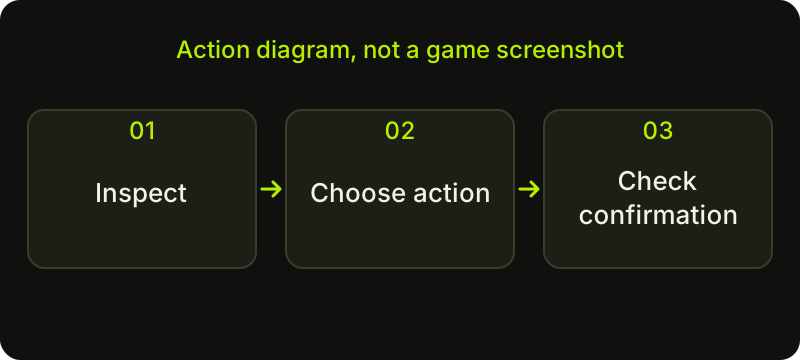
Check sequence: a diagram, not a game screenshot.
Inspect the correct weapon and sticker
Open the weapon’s detailed view and check its full base name. If several stickers are attached, identify the one you intend to change by its position and appearance. A tiny inventory image can hide neighbouring stickers or make repeated designs difficult to distinguish.
Do a non-destructive inspection first. Check an ordinary playing angle, then decide whether the unwanted effect is really the sticker or simply the lighting. The placement review helps you inspect the existing arrangement. Once a sticker is applied, do not assume you can reposition it. If you cannot confidently identify the target, close the action menu and return to inspection.
Use the scrape slider deliberately
The current Steam FAQ describes selecting the weapon with a left click, choosing Scrape Sticker and dragging the scrape slider. Use that interface and read its current warning. Do not follow an old instruction to click a fixed number of times: this guide does not give a universal scrape count.
Check the selected sticker and the visible result before accepting an alteration. Moving quickly through a control makes it easier to miss that you have already reached the appearance you wanted. Scraping concerns the applied sticker, not the weapon finish’s numeric float. Keep those observations separate in a before-and-after note, and cancel if the proposed change is not the one you intended.
Remove only when you accept losing the applied copy
If your goal is complete removal, choose Remove Sticker for the correct sticker and read the final confirmation. This is a separate command, not another name for adjusting the scrape slider. The important question is whether you accept losing that applied copy. Removal does not create a reusable sticker in Inventory.
Do not assume that a renamed item, a screenshot or a saved plan can restore the arrangement. Those records document how it looked; they are not replacement sticker items or an undo mechanism. If you are uncertain, cancel before confirmation and leave the weapon unchanged while deciding what you actually want to keep.
Respect restrictions and unexpected states
A recently traded item can carry active protection that restricts modification. Read the notice attached to the item and follow the game’s explanation. An unavailable action is not a reason to look for a service claiming to bypass the restriction.
The Steam Trade Protection guide covers that separate status. If a response is unclear, inspect the item again before submitting another action. Keep “not allowed,” “not yet confirmed” and “completed” distinct in your notes. Do not give account access to somebody offering to restore a removed sticker. The task should remain within the game’s real inventory controls and official support channels.
Verify the outcome before the next experiment
Return to the weapon’s inspection view and check the selected position. After removal, verify the resulting appearance instead of searching for an inventory refund. If you only scraped the sticker, review the changed surface and stop before making an additional alteration you did not intend.
A private screenshot and a short description of the action are enough for a personal record. The catalogue-image explanation is useful when comparing your item with a generic preview afterwards. For another design experiment, begin with a preview and a plan. Irreversible modification should not be the way you discover what an interface button means.
Sources checked on 2 November 2026. Historical announcements explain the introduced mechanics; check the current CS2 and Steam interface for available actions and your item’s status.
Help
Questions and answers
What you should know before you begin.
Will removing a sticker put it back into my inventory?
No. Removing an applied sticker does not return a reusable inventory copy.
How many times can I scrape a sticker?
Use the current scrape slider and read its warning. Do not assume a universal number of clicks from an older guide.
Does scraping reduce the weapon’s float?
No. Sticker appearance and the weapon’s base float are separate properties.