UV or triplanar mapping: why CS2 finish artwork changes across parts
Valve’s finish guide distinguishes patterns tiled over a weapon’s existing UV layout from patterns projected from several directions and blended by surface normals. The finish style determines the relevant application method. If artwork appears differently across parts, identify that style and mapping context before changing the image or blaming a skin’s float.
CASECS2Updated:
Make the comparison about placement, not rarity
Author observation
First question
Avoid concluding
A stripe changes direction across parts
How does the style apply the pattern?
The image file is necessarily damaged
A mark crosses a rounded surface differently
Is projection blended across directions?
The item has a different float
Two previews differ
Were style and placement held constant?
One is a rarer owned instance
Imagine an original pattern made from broad bars and a small circle. Use those simple landmarks to observe placement rather than inventing an existing skin or market value. This is an authoring comparison, not a way to alter an owned weapon.
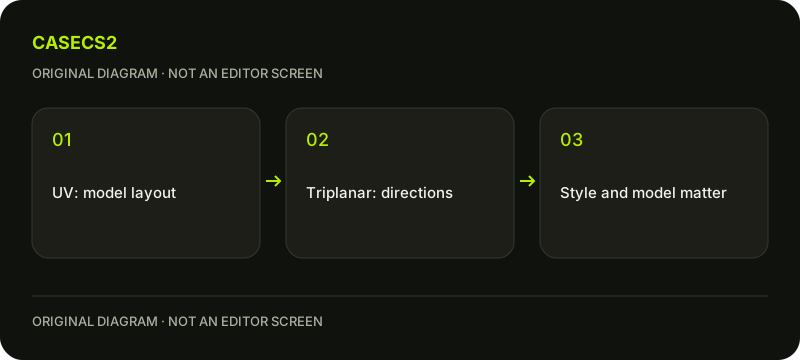
A check diagram, not a game screen.
Understand the UV application method
UV mapping tiles the pattern over the weapon’s existing UVs. Think of the surface as parts laid out for applying the pattern: adjacency in the image is not a guarantee that every feature continues uninterrupted across the assembled weapon.
Valve lists Hydrographic, Anodized Multicolored, Patina and Custom Paint as using UV application. Read the current style description before evaluating a seam or direction change. The first-finish guide introduces the broader authoring task; this page narrows the question to how a pattern reaches the model’s parts.
Understand triplanar projection separately
Triplanar application projects a pattern from multiple directions, blending according to surface normals. Valve associates Spray-Paint and Anodized Airbrushed with this method. A change across a curved surface can therefore require a different explanation from a feature following a UV layout.
Do not describe this as a single arbitrary UV-versus-triplanar switch that every finish exposes. The relevant method belongs to the chosen style. Gunsmith combines behaviors, so one statement about an entire weapon can hide differences between areas. Identify which style and part you are actually examining.
Build a controlled authoring example
Keep the weapon, artwork, placement settings, wear and lighting recorded. Observe the broad bars and circle in a familiar view. If comparing styles, choose deliberately and acknowledge that switching style can change material behavior as well as pattern application.
Do not change scale, rotation and viewing angle at the same time and then attribute every difference to mapping. The lighting comparison guide illustrates why viewing conditions belong in a visual record. An interpretable local comparison is more useful than two attractive previews whose conditions are unknown.
Keep mapping separate from instance properties
Pattern application during authoring is not the same question as an owned item’s paint seed or float. The seed-field explanation helps distinguish those identifiers, while the instance-float guide concerns actual item wear.
A design experiment does not produce a tradable instance or prove that a resulting pattern is rare. Do not label a preview as a new inventory item simply because the image resembles an in-game inspection. Record it as authoring evidence with the style and conditions alongside it.
Use the result to choose the next design question
Write down where the pattern changes, which application method applies and what remained fixed. If you cannot identify a part’s behavior from the current style description, keep that uncertainty rather than inventing an editor field or import command.
For a comparison board, the screenshot organization guide provides a useful organizational idea, but your own authoring images remain distinct from owned-item evidence. The completed task is a better explanation of placement. It does not guarantee acceptance, ownership, a valuable seed or the ability to change an existing catalog skin.
For a repeating source image, run a separate seamless-pattern check; matching image edges do not guarantee every model-part join.
Sources checked on 2 November 2026. Labels and locations can vary by client version and language. Match the described state in your own current interface.
Help
Questions and answers
What you should know before you begin.
Do all styles offer a UV/triplanar toggle?
Do not assume so. Valve describes application methods associated with particular finish styles.
Does mapping change an owned skin’s float?
No. Authoring pattern application and the wear of an actual item instance are different questions.
Does Gunsmith use one simple behavior everywhere?
Valve describes combined behavior, so inspect the relevant style and area rather than making a universal claim.