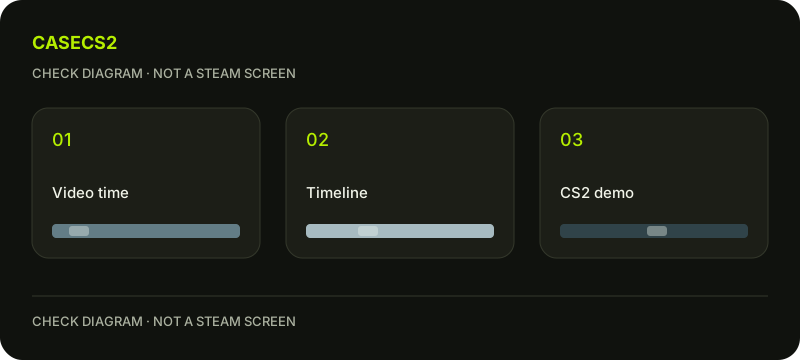
Steam timeline, video timestamp and CS2 demo: keep three references separate
Name the kind of reference before writing down a time. Steam Timeline helps find, save and share gameplay moments, and game integrations can enrich it. A position in a recording, elapsed time in a video file and a reference inside a CS2 demo should not be silently treated as one shared clock. Keep enough context to return to the correct material.
CASECS2Updated:
Build a three-reference note
Material
Reference to write
Question it can answer
Steam recording
The position you actually identify
Where is the recorded moment?
Video file
Elapsed position in that file
Where should a viewer begin?
CS2 demo
A reference appropriate to that demo
Where is the relevant replay context?
Use descriptive material names alongside the references. This is a worksheet for distinguishing sources, not a promise that every game event supplies a marker or that the positions numerically match.
A check diagram, not a game screen.
Identify the material before locating the moment
Start with what you actually have: a recording, an exported video or a demo. Write its distinguishing name and the question you want to answer. A note saying “look at the middle” is weak if several similar materials exist.
The demo and replay guide provides related context. Do not expect a video recording to gain replay camera controls merely because it shows the same game. The captured view and the demo task are different kinds of evidence.
Use a scene description to anchor the reference
Write a short observable description, such as the start of your own practice movement or the moment your crosshair reaches a chosen landmark. Avoid relying only on a number copied from another material. The description helps verify that you located the intended scene.
If you cannot identify the same moment confidently in another source, keep the relationship unresolved. Guessing a matching position can send a reviewer to the wrong context while making the note look more precise than it is.
Record observed timeline help without inventing markers
If your actual material provides a useful timeline indication, note what you observed and how it helps locate the moment. If it does not, use the available context rather than assuming a particular CS2 event should be marked.
The recording MP4 guide covers a later file task. After a clip is prepared, identify the resulting video separately. A selected excerpt may have a different elapsed-time reference from the longer material you started with.
Give another viewer a self-contained pointer
Include the material name, the appropriate reference and a sentence explaining what to inspect. Distinguish the location from the interpretation: “begin here” is not the same as “this proves the entire explanation.” Keep enough surrounding context for the actual question.
The screenshot guide may help if a still image is sufficient. For private support material, evidence without secrets keeps the pointer from becoming an excuse to disclose unrelated account information.
Check the pointer against the actual material
Return to the material using your note and see whether the described scene is locatable. Correct ambiguous names and mismatched positions before relying on the reference. Keep a separate note for any source you could not inspect rather than pretending the clocks align.
The useful outcome is a reliable pointer to the right kind of material, without invented event support, free-camera promises or an assumed equality between demo and video time.