Review a CS2 demo without confusing camera state, chat and video export
Start with a legitimately available CS2 demo and one event you want to review. Confirm that its download is ready, then inspect the event through the current viewer. Valve’s 2026 changes distinguish camera behavior and chat availability; a missing chat line or paused viewpoint is not automatically evidence of a damaged replay.
CASECS2Updated:
Choose one event and a clear question
Review goal
Record first
Avoid inferring
Inspect an event
Round or timestamp and viewpoint
A conclusion from an unrelated camera
Check viewer readiness
Download progress and current state
Every wait means a corrupted file
Understand absent chat
Chat type and viewing route
All conversation should be visible
For example, choose one moment and compare the same episode after pausing. A camera positioned elsewhere may explain why the action looked different. This is a review method, not a promise of a tactical advantage or evidence that every mode records a downloadable demo.
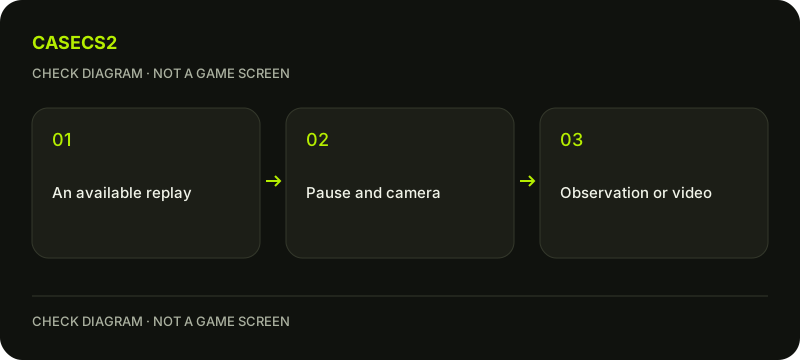
A check diagram, not a game screen.
Confirm the replay is available and ready
Use an available replay through CS2’s current viewing interface. Inspect the download state before diagnosing the viewer. Valve’s October 2026 notes describe a progress bar for replay downloads, which helps distinguish waiting for data from interacting with footage already available.
Do not guess a download command, storage path or retention period. A missing entry and an incomplete download are different observations. If comparing an old tutorial with the current interface, use the dated-update checklist instead of assuming every screenshot describes the present viewer.
Inspect the paused camera deliberately
Valve’s October update describes click-and-drag camera interaction and free or chase camera use while paused. Use the current viewer’s controls to inspect the chosen episode, keeping the event and perspective clearly identified. Exact shortcuts and coordinates should come from the interface you actually have.
If you seek to another moment, confirm the displayed episode before drawing a conclusion. The same notes contain seeking fixes, but that does not establish that every future discrepancy is the same bug. Record what happened rather than combining several unrelated viewer states into one diagnosis.
Read the chat limits before diagnosing absence
Valve’s September 2026 changes state that team chat is not readable in playback and that global chat is available only through the in-game Watch interface. A missing team message is therefore not a reason to search for a decryptor or a parsing workaround.
Keep the type of chat and viewing route in your notes. Do not reupload another person’s conversation merely to demonstrate that the viewer works. The Steam recording guide concerns capturing and exporting video, not recovering chat that the replay interface intentionally does not expose.
Separate visual review from item evidence
A rendered weapon in a demo is not proof of a specific float, price or current ownership. If your actual question concerns an item instance, follow the instance-float guide and use the relevant item evidence.
For a visual comparison, keep lighting and angle comparable using the inspection guide. Do not turn a different viewpoint into a claim that the item’s properties changed. A saved in-game image can document an observation, but the screenshot workflow is another task rather than a substitute for instance identification.
Keep the final observation reproducible
Record the replay context, chosen episode, camera state and exact discrepancy. Note whether the question concerns downloading, seeking, a perspective or expected chat. This allows another review of the same issue without pretending that every piece of game history is available forever.
If the goal is a local video file, save and export suitable footage through the recording workflow instead of renaming a demo to MP4. This guide does not claim a real replay test on your account. Its completion criterion is a clearly identified event and a correctly scoped observation, with private conversation and unsupported conclusions left out.
Sources checked on 2 November 2026. Labels and locations can vary by client version and language. Match the described action in your own current installation.
Help
Questions and answers
What you should know before you begin.
Should team chat be readable in playback?
Valve’s September 2026 notes state that team chat is not readable in demo playback.
Is a demo already an MP4?
No. A replay and a separately captured, exported video file are different results.
Does the rendered skin prove its float?
No. Use actual item-instance evidence for float and ownership questions.