How to share or import a CS2 crosshair code after the 2026 changes
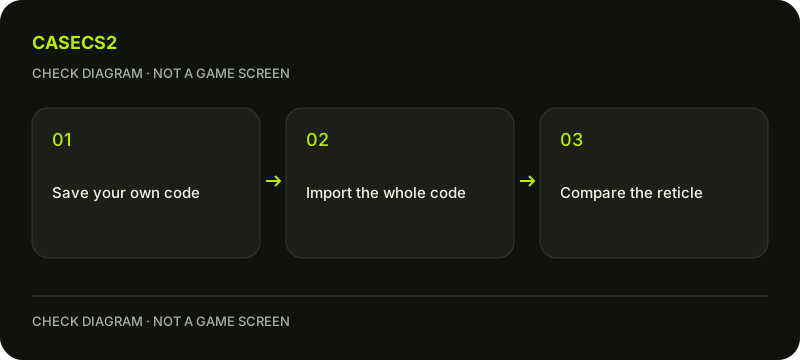
Save your current crosshair code or settings before trying someone else’s. Use the game’s present share/import controls, paste the complete code and check the preview before practice. Valve changed crosshair settings and code information in September 2026, so an old screenshot or remembered number is not enough to establish the same current reticle.
Find the current crosshair controls and preserve your present configuration using the available sharing function or a clear settings record. Check that the saved code is complete and label it as your original choice rather than overwriting it with the incoming one.
This creates a controlled comparison instead of a memory test. Do not invent a professional player’s code from an image or assume a code’s label proves who uses it. A friend’s plain-text example is enough to learn the workflow without downloading an unrelated configuration package.
Find the current settings and import action
Valve’s 22 September 2026 update introduced the Crosshair/Scopes settings tab. Find the equivalent current tab in your game’s language and look for the sharing or importing action it provides. Avoid instructions based on an unverified button coordinate.
Copy the complete intended code as plain text, paste it through that interface and read any response. A failed import is a specific result to record; it is not a reason to alter files blindly. Keep the previous configuration intact until the new selection has been inspected.
Account for the September 2026 changes
The September updates introduced resolution-independent crosshairs and clarified pixel-based length and thickness units with automatic rescaling when resolution changes. A number from an older arbitrary scale therefore need not describe the same current visual result.
On 30 September, Valve changed the sharing format to include additional scope-dot scale and colour information. That does not justify declaring every earlier code invalid. Check what the current game accepts and displays. The official-update review helps attach a date and source to a changed-setting claim rather than repeating a blanket rule.
Compare the result in a consistent context
Inspect the preview, then try a suitable practice situation using your usual display setup. Compare one change at a time. If a scope-related setting matters, examine that context as well instead of treating an ordinary unscoped screenshot as a complete test.
The weapon-role planning guide can help identify the equipment you normally use. This is about readability and preference, not a guaranteed gain in accuracy or FPS. Do not attribute a better match result to the code merely because it was imported beforehand.
Keep the chosen configuration separate from inventory
If you prefer the result, save a clearly labelled copy of the accepted configuration. Otherwise use your preserved setup and verify the restored preview. Note the relevant display conditions when keeping comparison images.
A crosshair code does not transfer a skin, change its float or equip a weapon finish. The item-instance guide keeps those properties separate. Finish with one configuration you can recognise and restore, instead of collecting unlabelled codes.