CS2 agent patches: apply, inspect and remove carefully
An agent patch is a single-use item for an owned, non-default agent. Once applied, its position cannot be changed; removing it does not return a loose patch to Inventory. Before confirming anything, identify both the agent and patch and read the current action. Weapon-sticker scraping instructions are not patch-removal instructions.
CASECS2Updated:
Separate three different item states
Imagine you want a patch on another part of an agent. First establish whether it is still a loose item or already attached.
State
What to check
Incorrect expectation
Loose patch
Intended owned non-default agent
Any default character accepts it
Applied patch
Existing location and agent
It can be moved afterwards
Removal action
Permanent loss confirmation
A reusable item returns
The item-types explanation helps keep an accessory separate from the character that carries it.
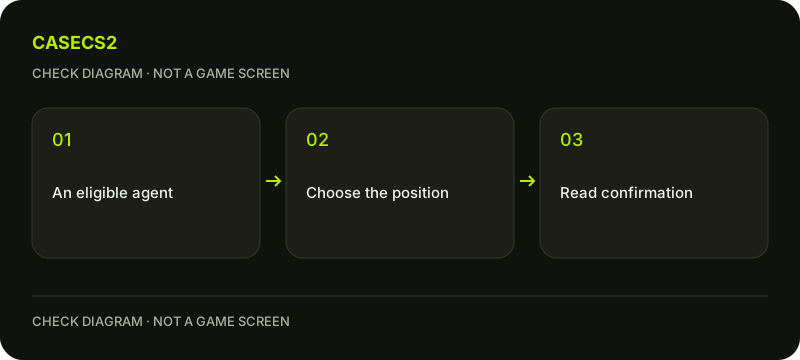
A check diagram, not a game screen.
Check compatibility before applying
Locate the intended patch and agent in your actual game inventory. Read their complete names, especially if you own similar variants. The official FAQ excludes default local agents, so do not treat a disabled option on one of them as evidence that you need a repair tool.
A website preview is not proof of ownership. The inventory distinction explains why the check belongs in the game. If you are unsure which character is selected, resolve that question before modifying an accessory.
Choose the offered location deliberately
Use the current game’s patch-application action and inspect the location it offers. Consider how that position looks on this agent rather than borrowing a placement example from another character. Do not assume a universal number of patch positions.
Take time before confirmation because the FAQ does not describe moving an attached patch later. A private note or screenshot can help you compare the proposed arrangement, but it cannot undo the application. If the target or position is unclear, cancel and return to inspection instead of testing by consuming the item.
Understand what stays with the agent
Steam states that applied patches remain on the agent when it is bought or sold on the Community Market. That describes an attached accessory, not a spare item separately available to apply elsewhere.
When reviewing an agent, distinguish its current decoration from any loose patches in the account. An old screenshot of a patch is not an inventory count. The catalogue-versus-instance guide is useful here: a generic character image cannot establish every accessory attached to the particular agent you are inspecting.
Treat Remove Patch as irreversible
If you genuinely want removal, identify the exact attached patch and read the game’s Remove Patch action. The result is permanent removal without an inventory return. Do not promise yourself that you can reuse the same copy on another agent afterwards.
There is no weapon-sticker scrape slider to import into this procedure. Likewise, do not invent a detachment tool or recovery service. If an item restriction prevents modification, read its notice and follow it. The Trade Protection guide explains that separate status without providing a bypass.
Verify the intended result once
After a confirmed action, inspect the same agent and location. Check the actual appearance rather than treating an old preview as the result. If something is uncertain, record the action and message before making a second change.
For future planning, list what you want to keep and what you might change before opening an irreversible command. You can preserve the existing decoration while deciding. The useful outcome is a clearly identified agent and accessory state, not a sequence of experimental removals that leaves you guessing which copy was used.