Why Steam Guard can ask for a code at every browser login
Steam can use a cookie to remember a computer or browser, so blocking or deleting that state can lead to repeated Steam Guard requests. This is one possible explanation, not proof of a compromised account or the only cause. Review the trusted browser’s actual storage behavior without disabling Guard or accepting unrelated marketing consent.
CASECS2Updated:
Identify which login is asking again
Observation
Useful distinction
Avoid assuming
Same trusted browser asks again
Relevant remembered state may be gone
Guard must be disabled
Private browsing context
Storage may be temporary
Every browser behaves identically
A separate website asks for login
Another session context
Analytics consent remembers Steam
For example, a cleanup utility may run between two visits. Record that timing rather than immediately changing several security settings. The website login-and-return guide explains another session boundary; a website session and Steam’s remembered browser are not the same record.
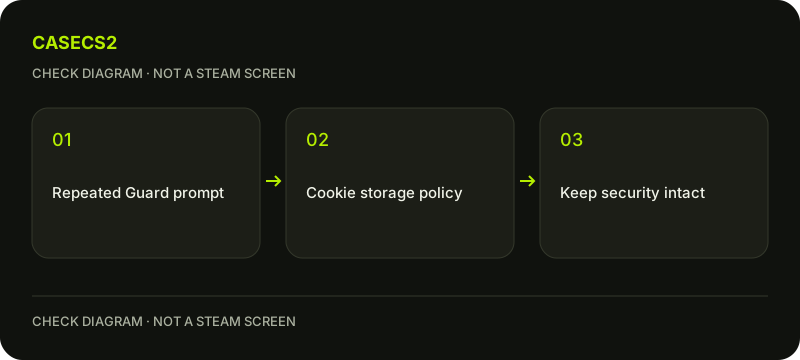
A check diagram, not a game screen.
Understand the remembered-state explanation
Steam’s help describes a cookie that remembers the computer or browser. If the relevant cookie is blocked or deleted, another code request can follow. Clearing browser data, automatic cleanup and site-specific storage policies are therefore relevant observations.
This does not mean every repeated prompt has that cause. Preserve the exact login context, browser and what changed between visits. Do not copy cookies, session tokens or remembered-login files to another device as a workaround. A remembered session is sensitive access state, not a portable convenience file to publish or hand to a helper.
Review only the owned trusted browser
On a device you own and trust, inspect the browser’s actual site-specific storage policy and any automatic clearing you intentionally use. Browser interfaces differ, so this page does not prescribe a fixed menu path or a universal checkbox.
If using a private context, consider whether its temporary state explains the observation. That is a diagnostic question, not a guarantee about all private modes. Avoid enabling every third-party cookie or weakening general privacy controls. The narrow task is to understand which relevant state is being retained, not permit unrelated tracking across the browser.
Choose differently on a shared device
A shared or public computer is not a good reason to preserve account access merely to avoid another prompt. The shared-computer sign-out guide explains why leaving a session behind is a separate risk.
Do not export authentication cookies or approve an unfamiliar sign-in so another person can compare the behavior. Follow the genuine login-address checklist whenever the destination is uncertain. A request should correspond to your own intended Steam login rather than a repair page supplied through a message.
Keep consent and delivery issues separate
CaseCS2 analytics consent is not Steam’s authentication cookie. Accepting marketing or analytics is not a documented way to make Steam remember a browser, and refusing optional analytics should not be described as a broken login choice.
If the problem is that a specifically requested email never arrives, use the Guard email guide. That is a delivery question, not evidence that all cookies should be enabled. Similarly, a missing mobile factor belongs to the authenticator recovery guide, not an automatic browser reset.
Record a scoped next step
Keep the browser context, relevant storage policy, known cleanup event and exact prompt together. Leave unverified causes unknown. For example, note whether a private window was closed or a cleanup tool ran between the two prompts; those observations are more useful than another screenshot of a code.
If further help is needed, describe the behavior without showing codes or full browser data. The useful outcome is understanding why remembered state may not persist and choosing an appropriate trusted-device policy. It is not a guarantee that every future prompt disappears or a reason to disable the protection that asks for the code.
Sources checked on 2 November 2026. Labels and locations can vary by client version and language. Match the described state in your own current interface.
Help
Questions and answers
What you should know before you begin.
Do repeated codes prove someone stole the account?
No. Relevant browser state can be blocked or cleared, among other possible explanations.
Should I accept analytics to remember Steam?
No. Optional website analytics consent and Steam authentication storage are separate.
Can I copy remembered-login cookies to another computer?
Do not use sensitive session material as a portable workaround or share it with another person.